


Whether you are a complete beginner picking up an instrument for the first time or a seasoned producer looking for a mobile studio, the world of apps to make music has exploded with possibilities over the past several years. What once required expensive desktop software and dedicated hardware can now be accomplished entirely on your smartphone or tablet. From beat-making and loop sequencing to full multi-track composition and audio recording, there is an app designed for nearly every style, skill level, and budget. In this guide, we will explore the best music creation apps available today, break down which ones suit different experience levels, and give you actionable advice so you can choose the right tool for your creative journey.
What Are the Best Apps to Make Music in 2024?
When we talk about apps to make music, we are really referring to a broad ecosystem of digital audio workstations, loop-based sequencers, virtual instruments, and collaborative platforms. Each type serves a different purpose, and understanding these categories will help you narrow your options quickly.
Some of the most popular and highly rated apps in this space include GarageBand, BandLab, FL Studio Mobile, Caustic 3, Korg Gadget, Soundtrap, Walk Band, and Dolby On. These applications span everything from simple drag-and-drop beat builders to full-featured DAWs capable of professional-grade production.
The key factors that separate a great music app from an average one include audio quality, MIDI compatibility, built-in virtual instruments, export options, collaboration features, and ease of use. Let us dive deeper into which apps lead in each category.
Best Music Production Apps for Beginners
If you are just getting started with music production, the learning curve matters more than anything else. You want an app that introduces you to core concepts like rhythm, melody, arrangement, and mixing without overwhelming you with technical jargon or complex workflows.
GarageBand (iOS)
GarageBand remains arguably the best free app to make music for Apple device users. It comes pre-installed on most iPhones and iPads, and it offers a surprisingly powerful set of virtual instruments, Smart Instruments for beginners, and a full multi-track timeline for more advanced users. The Live Loops feature lets you experiment with beats and arrangements in a fun, intuitive grid interface that makes learning music composition feel like playing a game.
BandLab
BandLab is a free mobile music studio that works on both Android and iOS. It features a cloud-based collaboration platform, which means you can create tracks solo or invite other musicians to contribute from anywhere in the world. Built-in loops, virtual keyboards, drum pads, and even basic social sharing make BandLab one of the most complete free music creation apps available today.
Soundtrap by Spotify
Soundtrap is a browser-based and mobile-friendly online music studio that emphasizes collaboration. It is particularly popular among educators, podcasters, and singers who want to record vocals and layer instrumentation easily. The intuitive interface and real-time collaboration tools make it a standout choice for beginner music producers.
Intermediate Music Apps for Growing Producers
Once you have grasped the basics and want more control over your sound, intermediate-level apps offer deeper features like MIDI editing, third-party plugin support, and more sophisticated mixing and mastering tools.
FL Studio Mobile
FL Studio Mobile brings the iconic workflow of the desktop FL Studio DAW to your phone or tablet. It includes a full step sequencer, piano roll, playlist view, and a generous library of built-in sounds and effects. While it costs a one-time purchase, many producers consider it the best paid mobile app to make music for those transitioning from beginner to intermediate level.

Korg Gadget
Korg Gadget is a virtual modular synth studio that packs an impressive number of synthesizers and drum machines into a clean, well-organized interface. It supports external MIDI controllers and offers excellent sound design capabilities. It is a favorite among electronic music producers who want professional-grade synthesis tools on the go.
Caustic 3
Caustic 3 emulates the experience of a desktop music production studio in your pocket. It features multiple “machines” such as synthesizers, samplers, drum machines, and a modular rig system that lets you patch sounds together creatively. It is one of the best apps for making beats on mobile devices.
Advanced Music Creation Apps for Professionals
Professional-level mobile production demands apps that support high-resolution audio, extensive plugin ecosystems, and detailed mixing and mastering workflows. At this stage, experienced producers often use mobile apps as complements to their desktop setups for sketching ideas on the move.
Koala Sampler
Koala Sampler is a powerful mobile sampling app that has gained a cult following among electronic producers, hip-hop beatmakers, and experimental sound designers. It supports high-quality sample import, granular synthesis, and real-time effects processing, making it a serious tool for professional mobile music production.
Dolby On
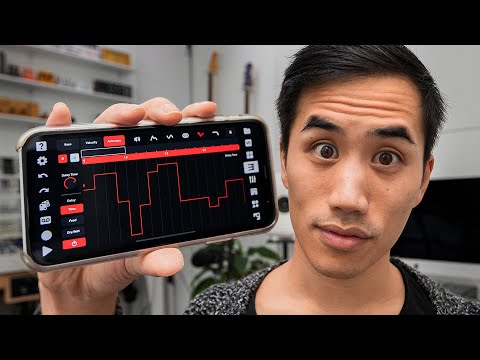
Dolby On is a free app that uses advanced audio processing algorithms to enhance recordings made on mobile devices. It is not a traditional DAW, but it excels at noise reduction, spatial audio rendering, and professional-sounding EQ effects. Podcasters, singers, and field recordists frequently use it to elevate raw recordings to a polished quality.
Comparison Table: Top Apps to Make Music
| App Name | Platform | Price | Best For | Skill Level |
| GarageBand | iOS | Free | All-around music creation | Beginner to Advanced |
| BandLab | iOS, Android | Free | Collaborative production | Beginner |
| FL Studio Mobile | iOS, Android | Paid | Beat making and full DAW production | Intermediate to Advanced |
| Korg Gadget | iOS, Android | Free + Subscription | Synthesis and electronic music | Intermediate |
| Caustic 3 | iOS, Android | Paid | Modular synthesis and beats | Intermediate |
| Koala Sampler | iOS, Android | Paid | Sampling and sound design | Advanced |
| Soundtrap | iOS, Android, Web | Free + Premium | Collaboration and podcasting | Beginner to Intermediate |
| Dolby On | iOS, Android | Free | Audio enhancement and recording | All Levels |
Expert Tips for Choosing the Right App to Make Music
Choosing the right app to make music depends on several personal factors that go beyond just features and price tags. Here is what experienced producers recommend considering before you download:
- Define your primary goal. Are you trying to produce full songs, create beats for others, record vocals, or simply experiment with sounds? Your goal will determine whether you need a full DAW or a simpler loop-based tool.
- Check device compatibility. Not every music app runs well on every device. Some apps are iOS-exclusive, while others perform better on tablets than phones due to screen size and processing power.
- Look for export options. Can you export in high-quality WAV or MP3 formats? Can you bounce stems separately? These features matter if you plan to release your music or collaborate with others.
- Test the learning curve. Many apps offer free versions or trial periods. Spend a few days exploring the interface before committing to a purchase.
- Consider community and tutorials. Apps with active user communities and abundant tutorial content will accelerate your growth significantly compared to isolated tools.
- Plan for growth. Choose an app that can scale with your skills. Starting with a basic tool like GarageBand or BandLab and later transitioning to FL Studio Mobile or Korg Gadget ensures you are never stuck without room to improve.
Frequently Asked Questions About Apps to Make Music
What is the best free app to make music on a phone?
GarageBand for iOS users and BandLab for both Android and iOS users are widely considered the best free options. GarageBand offers exceptional sound quality and a rich feature set, while BandLab excels in collaboration and cross-platform accessibility. Both are completely free with no hidden paywalls for core features.
Can I make professional-quality music on a mobile app?
Absolutely. Apps like FL Studio Mobile, Korg Gadget, and Koala Sampler offer audio quality, MIDI capabilities, and mixing tools that rival many desktop setups. Many independent artists have released commercially successful tracks produced entirely on mobile devices. The key is pairing a powerful app with quality samples, proper mixing techniques, and a good pair of headphones or studio monitors.
Which app to make music is best for beginners who have never produced before?
BandLab and GarageBand are the top recommendations for absolute beginners. Both feature intuitive drag-and-drop interfaces, pre-made loops, and guided tutorials that teach fundamental music production concepts without requiring any prior experience. BandLab is especially valuable because its collaborative nature helps beginners learn from and connect with other musicians.
Do mobile music apps support external MIDI controllers?
Yes, many Apps to make music now support external MIDI controllers via Bluetooth or USB-C connections. Korg Gadget, FL Studio Mobile, and Caustic 3 all offer MIDI input support, allowing you to connect keyboards, pad controllers, and other hardware for a more tactile production experience on mobile devices.
What is the easiest app to make beats on mobile?
For beat-making specifically, FL Studio Mobile and Caustic 3 are the easiest choices. Both offer visual step sequencers, pre-loaded drum kits, and intuitive pattern editors that let you lay down rhythms quickly. BandLab also has an excellent beat-making interface for those who want a free solution with immediate gratification.
Final Thoughts
The landscape of apps to make music has never been more accessible or more powerful. Whether you want to sketch a melody during your commute, produce an entire track from your couch, or collaborate with artists across the globe, there is a music creation app that fits your needs perfectly. Start with a free tool like GarageBand or BandLab to discover your creative style, then gradually explore more advanced platforms as your confidence and skills grow. The most important step is simply to begin. Open an app, experiment with sounds, and let your creativity take the lead — your next musical idea could be just one tap away.