


Beat production software has completely transformed how musicians, producers, and beatmakers create music from the ground up. Whether you are laying down your first drum loop or crafting a complex orchestral arrangement, the right digital audio workstation or beat-making application can make or break your creative workflow. In today’s competitive music landscape, choosing the best beat production software depends on your skill level, genre preferences, budget, and production goals. This guide dives deep into what makes modern beat-making software tick, compares top options across every experience level, and gives you actionable recommendations so you can invest your time and money wisely.
What Is Beat Production Software?
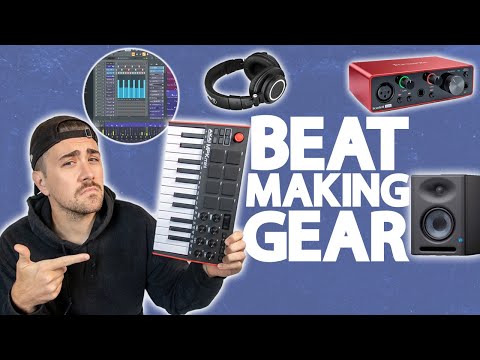
Beat production software refers to digital tools designed to help musicians compose, arrange, mix, and master instrumental tracks — commonly known as beats — using a computer or mobile device. These platforms combine virtual instruments, audio samples, MIDI sequencing, effects processing, and mixing consoles into a single interface. Many modern beat makers use these applications as their primary creative environment, replacing expensive hardware studios with a laptop and a pair of headphones.
The evolution of beat production software has been remarkable. What once required racks of synthesizers and drum machines can now be accomplished with a single application. Today’s best platforms support third-party plugins, real-time collaboration, cloud-based project sharing, and mobile integration. Understanding the core capabilities of these tools is essential before making any purchase decision.
Key Features to Look For in Beat Production Software
Not all music production applications are created equal. Before you commit to a specific platform, evaluate these critical features:
- MIDI Sequencing Engine: The backbone of any beat maker software. A robust MIDI sequencer lets you program drums, basslines, melodies, and chords with precision and flexibility.
- Built-in Sound Libraries: High-quality presets, drum kits, synthesizer patches, and loops that save you from purchasing additional sample packs.
- Plugin Compatibility: Support for VST, AU, and AAX plugins so you can expand your sonic palette with third-party instruments and effects.
- Audio Recording and Editing: Multi-track recording capabilities for capturing vocals, guitar, or live instruments alongside your programmed beats.
- Mixing and Mastering Tools: Built-in EQ, compression, reverb, delay, and limiter effects that help you polish tracks to a professional standard.
- User Interface and Workflow: An intuitive layout that matches your production style, whether you prefer linear timeline editing or pattern-based sequencing.
- Latency Performance: Low-latency audio engines ensure that your beats respond instantly when you hit a key or trigger a sample.
Best Beat Production Software for Beginners
If you are just starting your journey into beat making, you need software that is approachable, well-documented, and forgiving when you make mistakes. Here are the top recommendations for newcomers:
- GarageBand (macOS/iOS): Apple’s free entry-level DAW comes loaded with professional-quality sounds, intuitive drag-and-drop functionality, and built-in lessons. It is arguably the best starting point for aspiring beat producers on a budget.
- FL Studio Fruity Edition: Known for its pattern-based workflow and lifetime free updates, FL Studio has become a staple for beginner hip-hop and EDM producers. The step sequencer makes drum programming incredibly fast.
- BandLab (Free, Cloud-Based): A browser-based beat maker that requires zero installation. It is perfect for producers who want to jump straight into creating without worrying about system requirements.
Expert Tip: Start with a free or low-cost option like GarageBand or BandLab. Focus on learning rhythm, arrangement, and basic mixing concepts before upgrading to a premium DAW.
Best Beat Production Software for Intermediate Producers
Once you have mastered the fundamentals, it is time to upgrade to software that offers deeper control, advanced routing, and superior sound design capabilities. Intermediate producers benefit from platforms that balance creativity with technical depth.
Ableton Live (Standard/Suite): Ableton Live remains one of the most powerful beat production environments available. Its session view enables real-time jamming and live performance, while the arrangement view supports detailed track editing. The Suite version includes an extensive library of instruments and effects that rival standalone hardware.
FL Studio Producer Edition: Upgrading from the Fruity tier unlocks audio recording, playlist editing, and advanced mixing tools. FL Studio’s plugin wrapper supports virtually every third-party VST on the market.
PreSonus Studio One: An underrated powerhouse that combines an intuitive drag-and-drop workflow with professional-grade mixing and mastering tools. Studio One is gaining rapid popularity among beat makers who want a modern, streamlined alternative to legacy DAWs.
Best Beat Production Software for Advanced Producers
Professional beat makers and working producers demand maximum flexibility, routing options, and sonic fidelity. These advanced platforms handle complex projects with ease:
- Ableton Live Suite: The gold standard for electronic and hip-hop production. Max for Live integration opens unlimited possibilities for custom devices and generative workflows.
- Logic Pro (macOS): Apple’s flagship DAW offers a comprehensive set of instruments, effects, and scoring tools. Logic Pro excels at both beat production and full arrangement work.
- Cubase Pro: Steinberg’s professional-grade DAW delivers unparalleled MIDI editing, advanced automation, and pristine audio quality. It is the preferred choice for composers and film scorers who also produce beats.
- Reason Studios (Reason): A unique self-contained studio environment with virtual hardware rack routing. Reason’s visual workflow is unlike any other DAW and appeals to producers who value tactile, creative experimentation.
Comparison Table: Top Beat Production Software
| Software | Price Range | Best For | Platform |
| GarageBand | Free | Absolute beginners | macOS, iOS |
| FL Studio Fruity | $99 | Hip-hop & EDM beginners | Windows, macOS |
| Ableton Live Standard | $449 | Intermediate electronic producers | Windows, macOS |
| Logic Pro | $199 | Advanced macOS producers | macOS |
| Studio One Artist | $99 | Modern workflow beat makers | Windows, macOS |
| Cubase Pro | $579 | Professional composers & producers | Windows, macOS |
Expert Tips for Choosing the Right Beat Production Software
Selecting the ideal beat-making software can feel overwhelming given the sheer number of options available. Here are practical recommendations from experienced producers:

- Match the software to your genre. Hip-hop producers often gravitate toward FL Studio because of its unbeatable drum sequencing. Electronic music creators tend to prefer Ableton Live for its session view and real-time performance capabilities. If you produce trap beats, FL Studio’s Piano Roll is widely considered the best in the industry.
- Prioritize the learning curve. The best software in the world is useless if you cannot navigate it. Watch tutorial videos, read community forums, and take advantage of free trials before purchasing.
- Consider long-term value. Some DAWs like FL Studio offer lifetime free updates, meaning you never pay again after your initial purchase. Others require annual subscription renewals. Factor this into your budget over the long run.
- Test third-party plugin compatibility. If you already own popular virtual instruments or effects, verify that your chosen DAW supports them before buying.
- Use a free option first. GarageBand, BandLab, and Cakewalk by BandLab are excellent free beat production software options that let you explore your workflow without financial risk.
Frequently Asked Questions (FAQs)
What is the best beat production software for beginners on a tight budget? GarageBand is the top recommendation for beginners who want professional-quality tools at zero cost. For Windows users, Cakewalk by BandLab offers a fully-featured DAW experience for free. FL Studio Fruity Edition at $99 is also an outstanding entry point for aspiring beat makers.
Can I produce professional-quality beats with free beat making software? Absolutely. Free applications like GarageBand, BandLab, and Cakewalk have been used to produce commercially released tracks. The quality of your beats depends far more on your production skills, sound selection, and mixing techniques than on the price tag of your software.
Which beat production software do most hip-hop producers use? FL Studio dominates the hip-hop beat-making community, with legendary producers like Metro Boomin, Mike Dean, and Southside relying on its workflow. However, Ableton Live, Logic Pro, and MPC software by Akai are also widely used in the genre.
Is it better to use a DAW or a dedicated beat maker application? A full-featured DAW like Ableton Live or Logic Pro offers more flexibility and long-term scalability. Dedicated beat-making apps like MPC Beats or Groovepad are simpler and faster for quick beat sketching. Your choice depends on whether you plan to produce full arrangements or focus primarily on beat creation.
What computer specifications do I need for beat production software? Most modern DAWs run smoothly on a computer with at least 8GB of RAM, a multi-core processor (Intel i5 or equivalent), and an SSD for fast sample loading. For large projects with dozens of virtual instruments, 16GB of RAM and a dedicated audio interface will provide a much smoother experience.
Can I use beat production software on my iPad or Android tablet? Yes. GarageBand is available for iPad with near-desktop capabilities. FL Studio Mobile, BandLab, and Korg Gadget are excellent Android and iOS options for producing beats on the go. While mobile apps have limitations compared to desktop DAWs, they are powerful tools for capturing ideas and creating simple beats anywhere.
Final Thoughts
The landscape of beat production software has never been more accessible or more powerful. Whether you are a complete beginner exploring your first drum pattern or a seasoned professional managing complex multi-track sessions, there is a platform designed to match your needs. The key is to start with software that aligns with your current skill level, invest time in learning its features thoroughly, and upgrade as your production demands grow. Focus on developing your ear, refining your mixing techniques, and building a signature sound — because the software is simply the vehicle that brings your creative vision to life.