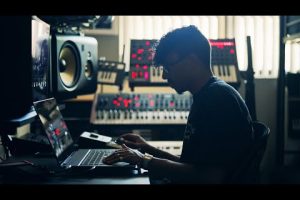
Finding the best desktop for music production is one of the most consequential decisions you’ll make as a producer, beatmaker, or audio engineer. Your desktop isn’t just a machine — it’s the engine behind every mix, every plugin load, every virtual instrument rendering, and every export. Whether you’re crafting lo-fi beats in a bedroom studio or scoring films with a full orchestral template, the computer you choose directly impacts your workflow speed, latency performance, and creative freedom. The difference between a system that stutters under a 100-track session and one that handles it effortlessly comes down to understanding what actually matters inside the case. This guide breaks down everything from processor cores and RAM bandwidth to storage configurations and GPU requirements, so you can invest with absolute confidence.
Why Your Desktop Choice Matters More Than You Think
Many aspiring producers overthink controllers, monitors, and microphones while neglecting the foundation of their entire setup. A desktop built for music production needs to handle real-time audio processing without crackles, dropouts, or buffer underruns. Digital Audio Workstations (DAWs) like Ableton Live, FL Studio, Logic Pro, Cubase, and Pro Tools are extraordinarily demanding applications. They simultaneously manage MIDI sequencing, virtual instruments, effects plugins, automation, and large audio file streaming. A weak or outdated desktop will choke under these tasks, no matter how expensive your plugins are.
Beyond DAW performance, your desktop serves as the hub for sample library management. Modern orchestral sample libraries like Spitfire Audio or EastWest can exceed 500 GB each. Loading these in real time demands fast storage and ample memory. If you’re producing electronic music with heavy synthesizer chains and sidechain processing, your CPU’s single-thread performance becomes critical. Simply put, the best computer for music production removes bottlenecks so you can focus entirely on creating music.
Critical Specifications Every Producer Should Understand
Processor (CPU): The Brain of Your Studio
The CPU handles the heaviest lifting in music production. When rendering virtual instruments and processing effects in real time, clock speed and core count both play essential roles. For DAW work, single-core performance often matters more than raw core count because most plugins process audio sequentially on individual threads.
That said, multi-core performance becomes vital when running multiple instances of CPU-intensive plugins simultaneously or when rendering large projects. Intel’s Core i7 and i9 series, along with AMD’s Ryzen 7 and Ryzen 9 lines, deliver excellent performance for producers. The AMD Ryzen 9 7950X and Intel Core i9-14900K currently represent the top tier for desktop music production.
- Minimum recommended: 6 cores / 12 threads with strong single-core clock speeds
- Ideal for intermediate producers: 8-12 cores with boosted clock speeds above 5 GHz
- Professional-grade: 16+ cores for orchestral template work, mixing, and mastering

RAM: Keeping Your Sessions Alive
RAM determines how many tracks, plugins, and samples your system can hold in active memory before it starts paging to disk, which destroys performance. Running low on RAM is one of the most common causes of DAW crashes and audio dropouts.
- Beginner: 16 GB DDR4 or DDR5 RAM
- Intermediate: 32 GB DDR5 RAM
- Advanced: 64 GB DDR5 RAM for large sample libraries and film scoring
Storage: Speed Meets Capacity
Storage is frequently overlooked but arguably one of the most impactful upgrades you can make. An NVMe SSD dramatically reduces project load times, sample library streaming latency, and overall system responsiveness. For music production, you want at least a 1 TB NVMe SSD as your primary drive, with additional SSDs for project files and sample libraries.
Avoid HDDs as your primary production drive. The rotational latency of traditional hard drives causes audio stuttering when your DAW streams large audio files. If you need bulk storage for archived projects, a secondary HDD works fine, but never compromise your primary drive speed.
GPU: Do You Really Need a Graphics Card?
For most music production tasks, a dedicated GPU is not essential. Your DAW will run perfectly well on integrated graphics. However, if you plan on video editing, motion graphics for music videos, or using GPU-accelerated plugins, a mid-range graphics card like the NVIDIA RTX 4060 provides excellent value without drawing excessive power.
Best Desktop PCs for Beginners in Music Production
If you’re just starting your production journey and need an affordable yet capable desktop for beat making, these options deliver strong value without overcomplicating things.
- Apple Mac Mini M2 — Compact, silent, and surprisingly powerful. The M2 chip handles most beginner to intermediate DAW workloads beautifully. 16 GB unified memory is recommended.
- HP ProDesk 400 G9 — A reliable business-class desktop that’s easy to upgrade. Equip it with an i7 processor and 32 GB RAM for solid DAW performance.
- Lenovo ThinkCentre M70q — Tiny form factor with strong Intel processing and clean acoustics, ideal for quiet studio environments.

Best Desktop PCs for Intermediate Producers

At this stage, you’re likely running multiple plugin chains, large sample libraries, and complex arrangement views. Your music production desktop needs to handle sustained workloads without thermal throttling.
- Apple Mac Studio (M2 Max) — Exceptional multi-threaded performance, massive memory bandwidth, and near-silent operation. Ideal for Logic Pro users and anyone running heavy template sessions.
- Custom Built Intel/AMD Desktop — Building or ordering a custom rig lets you precisely match your needs. A Ryzen 9 7950X with 64 GB DDR5 RAM and dual NVMe SSDs creates a powerhouse for any DAW.
- Dell Precision 3660 Tower — Workstation-grade reliability with Intel Xeon or Core i9 options, ECC RAM support, and excellent expansion capability.
Best Desktop PCs for Advanced and Professional Producers
Professional producers working on commercial releases, film scores, or large collaborative projects need uncompromising performance. The best prebuilt desktop for music production at this level combines raw power with stability and support.
- Apple Mac Pro (M2 Ultra) — The absolute flagship. With up to 128 GB unified memory and massive I/O bandwidth, it handles the most demanding templates on the planet without breaking a sweat.
- Puget Systems Station X — Custom-configured workstation specifically optimized for creative professionals. Every component is tested for compatibility with major DAWs and plugins.
- Lenovo ThinkStation P7 Tower — Supports up to 128 GB DDR5 RAM, Intel Core i9 processors, and multiple NVMe drives. Built for sustained professional workloads.
Desktop Comparison Table: Finding Your Match
| Desktop | Best For | CPU | RAM (Recommended) | Price Range |
| Mac Mini M2 | Beginners | Apple M2 | 16-32 GB | $800 – $1,500 |
| Mac Studio M2 Max | Intermediate | Apple M2 Max | 32-64 GB | $2,000 – $4,000 |
| Mac Pro M2 Ultra | Professional | Apple M2 Ultra | 64-128 GB | $4,000 – $8,000+ |
| Custom Ryzen Desktop | All Levels | Ryzen 9 7950X | 32-64 GB | $1,500 – $3,500 |
| Dell Precision 3660 | Intermediate-Advanced | Core i9 / Xeon | 32-64 GB | $1,800 – $3,000 |
Expert Tips for Optimizing Your Desktop for Music Production
Even the most powerful desktop needs proper configuration to deliver optimal music production computer specs performance. Here are essential tips from experienced producers and audio engineers:
- Enable ASIO drivers: Always use ASIO-compatible audio interfaces. ASIO provides lower latency and more stable audio streaming compared to default system drivers.
- Disable Wi-Fi during sessions: Network activity can cause micro-interruptions in audio processing. Use a wired Ethernet connection or simply disable Wi-Fi entirely while producing.
- Set power plan to High Performance: On Windows, ensure your system is not throttling CPU clocks during long sessions. This is critical for laptops and custom desktops with adjustable power profiles.
- Keep your OS and DAW updated: Developers frequently patch audio-related bugs and improve compatibility with newer processor architectures.
- Use a dedicated audio drive: Record your audio onto a separate SSD from your OS and plugins. This reduces disk contention and improves read/write stability.
- Monitor temperatures: Sustained CPU loads during rendering can cause thermal throttling. Ensure your case has adequate airflow, or use a desktop with efficient cooling architecture.
Mac vs. Windows: Which Platform Is Better for Music Production?
This debate never dies, and for good reason. Both platforms have legitimate strengths. macOS offers exceptional hardware-software integration, near-silent operation, and Logic Pro as an exclusive DAW with outstanding performance optimization. Many top-tier mixing and mastering engineers prefer Mac environments for their consistency and stability.
Windows, on the other hand, provides greater hardware flexibility, upgradeability, and access to a wider range of plugins — particularly in the VST3 and hardware controller ecosystems. Windows also tends to offer better value per dollar in terms of raw processing power. If your workflow involves hardware synths, complex MIDI routing, or you use Windows-exclusive tools, a custom-built Windows desktop often wins.
The honest answer is that both platforms can produce professional-grade music. Choose based on your DAW preference, plugin ecosystem, budget, and personal workflow habits rather than tribal loyalty.
Conclusion: Invest Wisely, Create Fearlessly
Selecting the best desktop for music production doesn’t require chasing the absolute fastest hardware available. It requires matching your system to your specific workflow, DAW, and project complexity. Beginners can thrive with a well-configured Mac Mini or a budget-friendly custom build featuring an Intel i7 or AMD Ryzen 7 processor and 32 GB of RAM. Intermediate producers will find tremendous value in systems with 12-core processors, NVMe storage, and 64 GB RAM configurations. Professionals need workstation-grade reliability, massive memory, and bulletproof stability — which is where offerings from Apple, Puget Systems, and Dell Precision become essential investments.
Whatever path you choose, prioritize CPU single-thread performance, fast NVMe storage, and adequate RAM above all else. Pair your desktop with a quality audio interface, treat your monitoring environment properly, and you’ll have a production setup that serves your creativity for years to come.
Frequently Asked Questions (FAQs)
What is the best desktop for music production on a budget?
The Apple Mac Mini M2 (base model with 16 GB unified memory) or a custom-built AMD Ryzen 5 7600 system with 32 GB DDR5 RAM and a 1 TB NVMe SSD represent the best value options. Both handle Ableton Live, FL Studio, and Logic Pro efficiently without breaking the bank. Aim for systems between $800 and $1,500 for solid entry-level production capability.
Do I need a dedicated graphics card for music production?
No, most producers do not need a dedicated graphics card. DAWs and audio plugins rely almost entirely on CPU and RAM resources. Integrated graphics from modern Intel or AMD processors handle visual interfaces perfectly. A dedicated GPU only becomes necessary if you also edit video, create motion graphics, or use GPU-accelerated plugins, which are rare in audio production.
How much RAM do I really need for running large sample libraries?
For orchestral and cinematic sample libraries like Spitfire BBC Symphony or EastWest Hollywood Orchestra, 64 GB of RAM is strongly recommended. These libraries can easily consume 30-80 GB when loaded fully in memory. For electronic music production with lighter plugin loads, 32 GB handles most scenarios comfortably. Always match your RAM to your heaviest typical project.
Is a prebuilt desktop or a custom-built PC better for music production?
Prebuilt desktops from reputable manufacturers like Puget Systems or Dell Precision offer tested stability, warranties, and support — critical for professional environments. Custom-built PCs provide maximum flexibility, often better performance per dollar, and the ability to select specific components optimized for your DAW. Beginners benefit from prebuilt simplicity, while advanced producers often prefer custom configurations.
Can I use a regular desktop computer for producing music?
Yes, a regular desktop can produce music effectively as long as it meets minimum specifications: a modern multi-core processor, 16 GB RAM minimum, and an NVMe SSD. The key is avoiding HDDs as primary drives and ensuring your system isn’t burdened with unnecessary background processes. Many successful producers use standard office or business desktops with upgraded RAM and SSD storage.
What makes a desktop specifically suited for DAW work versus general use?
A desktop optimized for DAW work prioritizes low-latency audio processing, sustained CPU performance without thermal throttling, fast storage I/O for real-time sample streaming, and stable memory subsystem performance. General-purpose desktops often use power-saving BIOS profiles, slower storage, and minimal RAM that creates bottlenecks during audio sessions. Proper BIOS configuration, fast NVMe drives, and adequate cooling separate a production-optimized desktop from a standard office machine.