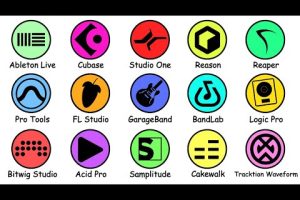
Choosing the best programs for music production can feel overwhelming when you are staring at dozens of options, each promising to transform your creative workflow. Whether you are a bedroom producer laying down your first beat, a songwriter building polished demos, or a seasoned engineer mixing platinum records, the right digital audio workstation (DAW) and accompanying tools make all the difference. This guide cuts through the noise and breaks down the top music production software options across every skill level, with honest pros and cons, expert recommendations, and practical tips to help you pick the perfect production environment for your needs.
What Makes a Music Production Program Stand Out
Before diving into specific recommendations, it is important to understand what separates a great music production program from an average one. The DAW is the central hub of your entire creative process, so the features that matter most include audio recording capabilities, MIDI editing, virtual instrument integration, mixing and mastering tools, plugin support, and workflow efficiency. A strong music production suite should also offer stable performance, regular updates, and an active user community where you can find tutorials, presets, and troubleshooting help.
Key factors to consider when evaluating production software:
- Audio and MIDI recording quality and latency performance
- Built-in virtual instruments and sound libraries
- Plugin compatibility (VST, AU, AAX formats)
- Recording and mixing console routing options
- Price point and value for long-term use
- Learning curve and available tutorial resources
- Operating system compatibility (Windows, macOS, Linux)
Best Music Production Software for Beginners
Why These Are Great Starting Points
If you are just starting your journey into music creation, you need a program that is intuitive, affordable, and packed with enough built-in sounds and effects to keep you inspired without overwhelming you with complex routing and editing features. The following beginner-friendly DAWs have earned their reputation for striking that balance perfectly.
1. GarageBand (macOS / iOS)
GarageBand remains one of the most accessible entry points into music production. It comes free on every Apple device and includes a surprisingly deep library of virtual instruments, loops, and audio effects. While it lacks the advanced routing of professional-grade suites, its drag-and-drop interface and seamless integration with Logic Pro make it an ideal sandbox for learning the fundamentals of composition, recording, and mixing.
2. BandLab (Windows / macOS / Mobile)
BandLab is a free, cloud-based music creation platform that works across multiple devices. It offers a capable built-in DAW with collaborative features, meaning you can co-produce tracks with other musicians in real time. The built-in mastering tools and extensive loop library make it a standout choice for beginners who want to start creating immediately without any financial commitment.
3. FL Studio Fruity Edition
FL Studio has a devoted following among electronic music producers and beat makers, and its Fruity Edition offers an affordable entry point. The step sequencer and pattern-based workflow are incredibly intuitive, and lifetime free updates mean you will never need to pay for another license. It is one of the most popular programs for music production among emerging hip-hop, trap, and EDM producers.
Best DAWs for Intermediate Producers
Balancing Power and Ease of Use
Once you have outgrown the basics and want deeper control over your arrangements, mixing, and sound design, intermediate-level software becomes the sweet spot. These programs offer robust feature sets without requiring a full-time learning commitment, and they scale beautifully as your skills grow.
1. Ableton Live (Intro / Standard / Suite)
Ableton Live is widely regarded as the best program for music production among electronic musicians, live performers, and producers who thrive in a session-based workflow. Its unique Session View lets you jam with clips in real time, while Arrangement View provides a traditional timeline for linear composition. Suite version includes an extensive collection of instruments, effects, and Max for Live modules for advanced sound design.
2. PreSonus Studio One
Studio One has rapidly gained traction as a serious competitor to established DAWs. Its drag-and-drop workflow, excellent mastering suite, and native integration with the PreSonus hardware ecosystem make it a compelling choice for intermediate producers. The software handles both recording and electronic production with equal finesse, and its price-to-feature ratio is outstanding.
3. Cubase Pro
Steinberg’s Cubase remains a heavyweight in the industry, particularly for composers working in film scoring, orchestral arrangement, and pop production. Its chord track, audio warp tools, and advanced MIDI editing capabilities give intermediate producers an enormous amount of creative control. The learning curve is steeper, but the investment pays off in professional-grade results.
Advanced Music Production Software for Professionals
Industry-Standard Tools for Mastering and Mixing
Professional-grade music production programs are built for studios, engineers, and artists who demand every possible control over their sound. These are the programs you will find powering hit records, film scores, and high-profile commercial releases.
1. Avid Pro Tools
Pro Tools is the undisputed industry standard for recording studios and post-production facilities worldwide. Its audio editing precision, advanced mixing capabilities, and Avid hardware integration make it the go-to choice for professional music production and audio for visual media. While the subscription model and steep learning curve can be intimidating, nothing else matches its reliability and collaboration features in a commercial studio environment.
2. Apple Logic Pro
Logic Pro represents exceptional value for a professional-grade DAW. At a one-time purchase price, you get a comprehensive suite that includes top-tier mixing tools, a massive sound library with virtual drummers and synthesizers, and seamless integration with Apple’s ecosystem. Many top-tier producers use Logic as their primary writing and production platform, leveraging its space-efficient workflow to create entire albums.
3. Steinberg Nuendo

Nuendo is designed specifically for post-production, game audio, and immersive sound design. It shares much of Cubase’s core engine but adds advanced features like ADR tools, object-based audio mixing, and extensive surround sound support. For professionals working beyond traditional music production, Nuendo is the premier choice.

Comparison Table: Top Music Production Programs at a Glance
| Program | Best For | Starting Price | Platform | Plugin Support |
| GarageBand | Beginners, Mac users | Free | macOS, iOS | AU |
| BandLab | Beginners, collaboration | Free | Cross-platform | Limited |
| FL Studio | Electronic, beat making | $99 | Windows, macOS | VST, AU |
| Ableton Live Suite | Electronic, live performance | $749 | Windows, macOS | VST, AU |
| Studio One | All-around production | $99 | Windows, macOS | VST, AU, AAX |
| Cubase Pro | Composing, orchestral | $579 | Windows, macOS | VST, AU |
| Pro Tools Studio | Recording studios | $299/year | Windows, macOS | AAX, VST, AU |
| Logic Pro | Professional all-rounder | $229 | macOS | AU, VST |
| Nuendo | Post-production, game audio | $779 | Windows, macOS | VST, AAX |
Expert Tips for Choosing Your Music Production Software
- Test before you buy. Nearly every major DAW offers a free trial or demo version. Spend at least a week using the software before committing to ensure the workflow resonates with your creative process.
- Consider your genre. If you produce electronic music, Ableton Live or FL Studio will likely feel more natural. For recording bands and live instruments, Pro Tools or Studio One excel. For cinematic composition, Cubase and Logic Pro shine.
- Think long-term scalability. Purchase software that will grow with you. FL Studio’s lifetime free updates and Ableton’s tiered editions make this easy, but even Cubase and Pro Tools allow seamless upgrades.
- Invest in your skills alongside your software. The best production program in the world is only as useful as the knowledge you bring to it. Dedicate time to structured learning through YouTube tutorials, courses, and community forums.
- Do not overlook your audio interface. Even the best DAW will sound limited through cheap monitors or a low-quality interface. Pair your software with reliable monitoring hardware for accurate mixing decisions.
Frequently Asked Questions
1. What is the easiest music production program for a complete beginner?
GarageBand for Mac users and BandLab for cross-platform users are the easiest entry points. Both are free, intuitive, and come with built-in tutorials and loops that help you start creating music within minutes. FL Studio is also highly beginner-friendly for those focused on beat making and electronic production.
2. Which DAW is best for producing hip-hop and trap beats?
FL Studio and Ableton Live are the two most popular choices among hip-hop and trap producers worldwide. FL Studio’s step sequencer and piano roll are particularly beloved for their speed and flexibility when programming drums and melodies. Ableton Live excels at sampling, warping audio, and building atmospheric beats with its Session View workflow.
3. Can I use multiple music production programs on the same computer?
Yes, absolutely. Many professional producers run two or more DAWs to take advantage of each program’s unique strengths. You can transfer sessions between programs using stems, audio files, or MIDI export, giving you the flexibility to work in the best environment for each project.
4. Do I need an expensive audio interface to start producing music?
No, you can start producing with your computer’s built-in audio, but an affordable interface like a Focusrite Scarlett Solo or PreSonus AudioBox dramatically improves monitoring quality, latency, and recording clarity. A budget interface is one of the best investments you can make alongside your production software.
5. Is it better to use free or paid music production software?
Free programs like BandLab and GarageBand are excellent for learning and casual production. However, paid DAWs offer deeper feature sets, better plugin ecosystems, advanced mixing tools, and professional-grade audio processing. If you are serious about producing music as a career or hobby, investing in a paid program provides a significant long-term advantage.
Final Thoughts
The best programs for music production ultimately depend on your goals, budget, genre preferences, and workflow style. There is no single “perfect” DAW that suits every producer, but the options highlighted in this guide represent the highest quality tools available in 2024 and beyond. Start by identifying what you want to create, test a few programs through their free trials, and trust your instincts about which environment feels most natural. The right music production software is the one that disappears into the background and lets your creativity take center stage. Invest in the tools, sharpen your skills, and let the music speak.