


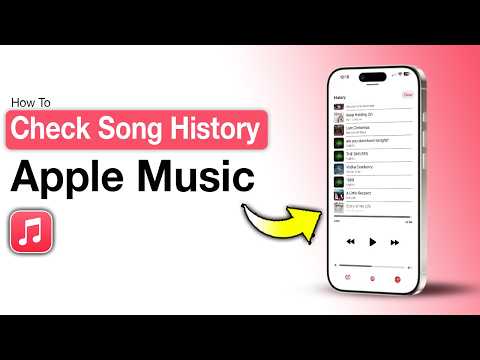
Apple Music has become one of the most popular streaming platforms in the world, but many users overlook one of its most powerful and revealing features — your Apple Music listening history. Whether you are a casual listener or a dedicated music enthusiast, understanding what your listening history contains, how to access it, and how to manage it can dramatically improve your overall streaming experience. From personalized playlists to privacy control, your Apple Music play history is a data goldmine that Apple uses to shape every recommendation, playlist, and algorithm-driven suggestion you encounter on the platform.
What Is Apple Music Listening History?
Your Apple Music listening history is a comprehensive log of every song, album, and playlist you have played since you started using the service. This includes tracks streamed online, songs downloaded for offline playback, and even tracks added to your library that you have skipped or replayed multiple times. Apple stores this data on its servers, linking it directly to your Apple ID and using it to power features like Replay, For You recommendations, and smart shuffles.
The listening history is not just a passive record. It is an active engine driving Apple Music algorithmic recommendations. Every time you tap play, skip, or add a song to a playlist, you are feeding data into Apple’s recommendation system. Understanding this connection helps you take full control of the music discovery experience.
How Apple Music Tracks Your Listening Activity
Apple uses a combination of client-side tracking and server-side data aggregation to build your listening profile. Here is how the process works behind the scenes:
- Every stream is logged with a timestamp, track ID, and session metadata.
- Skip behavior within the first 30 seconds of a track signals disinterest to the algorithm.
- Repeated listens on a single song increase its weight in your personalized profile.
- Playlist additions, likes, and downloads all contribute to your listening history data.
- Location data (when permitted) can influence regional recommendations and curated playlists.
This continuous data collection means your Apple Music play history is always evolving, making the recommendations more accurate over time.
How to View Your Apple Music Listening History
Accessing your Apple Music listening history is straightforward, but the method varies depending on the device you are using. Below are step-by-step instructions for the most common platforms.
On iPhone and iPad
To view your recent listening activity on iOS devices:
- Open the Music app on your iPhone or iPad.
- Tap on the Search tab at the bottom of the screen.
- Look for the Recents section or browse the Listen Now tab, which surfaces your most recent activity.
- For a deeper dive, tap your profile icon in the top right corner and explore the Listen Now feed, which displays your recently played tracks.
Note that Apple does not provide a dedicated “history” tab like some competing platforms. Instead, your recent activity is woven into the Listen Now and Recents interfaces.
On Mac and Apple TV
On macOS, open the Music app and navigate to the Listen Now tab. Your recently played tracks and albums appear in the Recently Played section. On Apple TV, go to Library > Recently Added or check the Up Next queue to see your current listening session.
Why Your Apple Music Listening History Matters
Your listening history is far more than a personal diary of musical tastes. It directly impacts several core features of the Apple Music ecosystem.
Personalized Recommendations and Discovery
The For You tab in Apple Music relies heavily on your listening history to surface new artists, albums, and playlists. The more accurately Apple understands your preferences, the better the recommendations become. If your history includes diverse genres, Apple will broaden its suggestions. If your history is narrow, the platform will deepen its exploration within specific genres.
Key features powered by your listening history include:
- Discover Weekly — a playlist of new tracks tailored to your taste.
- New Music Mix — a weekly roundup of recently released songs you are likely to enjoy.
- Replay — Apple’s annual year-in-review feature built entirely from your listening data.
- Smart Shuffle — a shuffle mode that introduces songs similar to your favorites.
Privacy Considerations
Because your Apple Music play history contains detailed information about your listening habits, it raises legitimate privacy questions. Apple states that listening history data is used to improve your experience and is not sold to third parties. However, the data is stored on Apple’s servers and linked to your Apple ID. Users concerned about data retention should regularly review their privacy settings and consider clearing their history.
How to Delete or Clear Your Apple Music Listening History
If you want a fresh start or are concerned about privacy, you can reset your Apple Music listening history. Here is how:

- Go to Settings > Music on your iPhone or iPad.
- Toggle off Show Apple Music and Sync Library temporarily.
- Navigate to Settings > Privacy > Apple Advertising and reset your advertising identifier.
- For a full reset of recommendations, you can also sign out of your Apple ID and sign back in, which sometimes refreshes the listening profile.

Keep in mind that Apple does not offer a one-tap “delete all history” button in the Music app. The process requires multiple steps, and some cached data may persist in Apple’s recommendation engine for a short period.
Apple Music vs. Competitors: Listening History Features
How does Apple Music’s approach to listening history compare to other major streaming platforms? The table below breaks down the key differences.

| Feature | Apple Music | Spotify | YouTube Music |
| Dedicated History View | No dedicated tab; woven into Listen Now | Yes — Privacy & Library settings | Yes — Activity Feed |
| One-Click History Clear | No | Yes | Yes |
| Algorithmic Recommendations | Yes — For You, Discovery | Yes — Discover Weekly, Release Radar | Yes — Mixes, Recommended |
| Annual Listening Recap | Replay (with Apple One) | Spotify Wrapped | YouTube Music Recap |
| Offline Play History Tracking | Yes | Limited | Yes |
One of the most notable gaps in Apple Music’s listening history feature is the lack of a dedicated, easily accessible history page. Spotify and YouTube Music both allow users to view and clear their full playback history with minimal effort, while Apple buries much of this functionality within broader interface sections.
Tips and Expert Recommendations
To get the absolute most out of your Apple Music listening history, consider these expert tips:
- Be intentional with your listening. The algorithm responds to behavior, so actively liking songs and adding them to playlists trains the system faster than passive listening.
- Use the “Love” feature strategically. Hearting a track tells Apple Music’s algorithm to prioritize similar music in your recommendations.
- Explore different genres intentionally. If you want broader recommendations, deliberately listen to a variety of genres for a week or two.
- Clear your history periodically if you want a reset. This is especially useful if you share an Apple Music family plan and your listening habits differ from other household members.
- Check Replay each year. Apple’s Replay feature compiles your top songs, artists, and albums into shareable cards, giving you a beautiful snapshot of your musical year.
Frequently Asked Questions
Can I Export My Apple Music Listening History to a Spreadsheet?
Apple does not currently offer a built-in feature to export your full Apple Music listening history as a spreadsheet or CSV file. However, third-party tools like Last.fm and Stats.fm can sync with Apple Music to track and export your listening data. Simply link your Apple Music account to one of these services, and you will gain access to detailed analytics and exportable reports.
How Long Does Apple Music Keep Your Listening History?
Apple does not publicly disclose the exact retention period for Apple Music play history data. Based on privacy policy documentation, listening history is retained as long as your Apple ID is active and you continue to use the service. Data may persist on Apple’s servers even if you delete tracks from your library, so users with strict privacy preferences should periodically review and manage their data through Apple’s privacy settings.
Does Listening History Affect Apple Music Quality or Performance?
No, your Apple Music listening history has no impact on streaming quality or app performance. The data is stored separately from playback settings and audio quality preferences. Whether your history contains 10 songs or 10,000 songs, it will not slow down the Music app or affect buffering and playback quality.
No, each member of an Apple Music Family Sharing plan has their own independent listening history. Apple ensures that profiles, recommendations, and listening data are kept separate per Apple ID. This means your Apple Music algorithmic recommendations are unique to your account and are not influenced by other family members’ listening habits.
Will Clearing My Apple Music History Remove Songs from My Library?
No. Clearing or resetting your listening history only affects the data Apple uses for recommendations and analytics. It does not delete any songs, albums, or playlists from your Apple Music library. Your downloaded and purchased content remains intact regardless of what you do with your play history.
Conclusion
Your Apple Music listening history is a powerful, always-growing dataset that shapes every aspect of your streaming experience. From the personalized playlists that greet you each morning to the annual Replay recap that celebrates your musical year, this behind-the-scenes feature is the backbone of Apple Music’s recommendation engine. By understanding how to view it, manage it, and leverage it — through intentional listening, strategic likes, and periodic privacy checkups — you can transform a passive streaming habit into a deeply personalized music journey. While Apple Music could benefit from a more transparent and accessible history interface compared to competitors like Spotify, the data it collects is robust and endlessly useful for anyone willing to explore its potential.