Computer software for making music has completely transformed how artists compose, record, produce, and distribute their work. Whether you are a bedroom producer just starting out or a seasoned studio engineer working on chart-topping tracks, the right digital audio workstation and music production tools can make or break your creative workflow. The landscape of music-making software is incredibly diverse, ranging from beginner-friendly GarageBand alternatives to professional-grade digital audio workstations packed with advanced mixing, mastering, and sound design capabilities. In this guide, we dive deep into the best music production software available, what to look for when choosing your tools, and how to match the right application to your skill level and creative goals.
What Is Music Production Software and Why Does It Matter?
Music production software, commonly referred to as a digital audio workstation or DAW, is an integrated application that allows you to record, edit, arrange, mix, and master audio and MIDI tracks on a computer. Think of it as a virtual studio that replaces racks of physical hardware — synthesizers, mixers, tape machines, and effects processors — all in one software environment. The importance of choosing the right music creation software cannot be overstated. It shapes your entire production pipeline, from initial idea to final release.
Modern beat-making software and audio editing tools go far beyond simple recording. They include built-in virtual instruments, sample libraries, real-time effects processing, automation capabilities, and seamless integration with third-party plugins. Many DAWs also support video scoring, live performance features, and collaborative workflows where multiple artists can work on the same project remotely.
Types of Music Production Software You Should Know About
Before diving into specific products, it helps to understand the different categories of music-making software available. Each type serves a distinct purpose in the production process.
Digital Audio Workstations (DAWs)
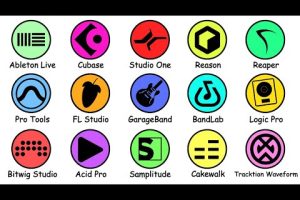
A DAW is the central hub of any music production setup. It handles multitrack recording, MIDI sequencing, audio editing, mixing, and mastering. Popular DAWs include Ableton Live, FL Studio, Logic Pro, Pro Tools, Cubase, and Studio One. Each DAW has its own unique workflow philosophy — some excel at live performance (Ableton Live), others at beat-making (FL Studio), and some dominate in film scoring (Cubase).
Virtual Instruments and Plugins
Virtual instruments such as synthesizers, samplers, and drum machines run inside your DAW. They generate sound digitally, eliminating the need for expensive physical gear. VST (Virtual Studio Technology) and AU (Audio Units) are the two dominant plugin formats. Many producers supplement their DAW with third-party plugin packs for richer sound design options.
Audio Editors and Mastering Tools
While DAWs handle recording and arrangement, dedicated audio editors like iZotope RX focus on cleanup and restoration. Mastering software such as Ozone helps you polish your final mix for distribution across streaming platforms.
Best Music Production Software for Beginners
If you are just starting your music production journey, you need software that is intuitive, well-documented, and affordable. Here are the top choices for newcomers:
- GarageBand (macOS/iOS): Completely free and pre-installed on Apple devices. GarageBand offers a surprisingly powerful feature set including virtual instruments, loops, and basic mixing tools. It is the perfect entry point for anyone exploring how to make music on a computer without investing money upfront.
- FL Studio Fruity Edition: Known for its pattern-based workflow, FL Studio is extremely beginner-friendly. The lifetime free updates policy makes it a smart long-term investment for aspiring producers.
- Ableton Live Intro: A stripped-down version of the industry-standard Ableton Live workflow. Its session view is excellent for experimenting with loops and ideas quickly.
- BandLab (Free, Cloud-Based): A browser-based music maker that requires no installation. Perfect for those who want to start producing immediately without any setup friction.
Intermediate-Level Software for Growing Producers
Once you have outgrown the basics, you need software that offers deeper control over mixing, more sophisticated MIDI editing, and better workflow customization. At the intermediate level, producers typically look for:
- Ableton Live Standard: Adds audio warp modes, more tracks, and expanded routing options compared to the Intro version.
- Logic Pro: A one-time purchase for macOS users that provides an enormous sound library, advanced MIDI tools, and professional-grade mixing features.
- Studio One Professional: A versatile DAW with excellent drag-and-drop workflow, built-in mastering suite, and strong support for third-party plugins.
- Cubase Pro: Widely regarded as the gold standard for composing, scoring, and detailed MIDI programming. Its chord pads and expression maps are unmatched.

Professional-Grade Music Production Software
For studio professionals and elite-level producers, the best computer software for making music must handle massive session sizes, offer pristine audio quality, and integrate with industry-standard hardware workflows.
Pro Tools
Pro Tools remains the industry standard for professional recording and post-production studios. Its editing precision, Avid hardware integration, and surround sound capabilities make it the go-to choice for studio engineers and film composers.
Reason Studios (Reason)
Reason stands out with its unique virtual rack environment where every instrument and effect is visually represented as a physical piece of gear. This makes it ideal for producers who think in terms of signal flow and hardware emulation.
Bitwig Studio
Bitwig has gained a loyal following among electronic music producers and sound designers. Its modular environment, advanced modulation system, and seamless integration with hardware controllers make it a powerhouse for experimental music production.
Key Features to Consider When Choosing Music-Making Software
Not all digital audio workstations are created equal. When evaluating music production applications, consider these critical factors:
| Feature | Why It Matters |
| Audio and MIDI Track Count | Determines how many layers you can work with simultaneously |
| Plugin Format Support | VST, AU, AAX compatibility affects which third-party tools you can use |
| Built-in Instruments and Samples | Saves money on external virtual instruments |
| Workflow and UI Design | Directly impacts your creative speed and efficiency |
| Operating System Compatibility | Some DAWs are macOS-only or have limited Linux support |
| Latency Performance | Critical for real-time recording and live performance |
| Update and Support Model | Subscription vs. lifetime purchase vs. free updates |
| Collaboration Features | Cloud sharing, session sharing for remote teamwork |

Comparison: Top DAWs at a Glance
The table below compares the leading music production platforms across key categories that matter most to producers at every level.
| DAW | Best For | Price Range | Platform |
| Ableton Live Suite | Electronic music, live performance | $749 | macOS, Windows |
| FL Studio Producer | Beat-making, hip-hop, EDM | $199 | macOS, Windows |
| Logic Pro | All-around production, scoring | $199 (one-time) | macOS only |
| Pro Tools Studio | Recording, post-production, studios | $599/year | macOS, Windows |
| Studio One Artist | Songwriters, all-genre production | $99 | macOS, Windows |
| Cubase Pro | Film scoring, detailed composition | $579 | macOS, Windows |
| Bitwig Studio | Experimental, modular sound design | $399 | macOS, Windows, Linux |

Expert Tips for Getting the Most Out of Your Music Production Software
Simply owning the best computer software for making music is not enough. How you use it determines your results. Here are actionable tips from experienced producers:
- Learn keyboard shortcuts. Speed in production comes from efficiency. Mastering hotkeys can save you hours per week and keep your creative flow uninterrupted.
- Invest in learning the mixer. Understanding signal flow, bus routing, and aux sends separates amateur productions from professional ones.
- Use templates. Build session templates for different genres so you can start a new project with pre-configured tracks, effects chains, and routing.
- Master one DAW deeply before switching. Jumping between DAWs fragments your learning. Pick one and commit to mastering its full feature set.
- Explore built-in presets but customize them. Presets are great starting points, but tweaking parameters helps you understand synthesis and develop your signature sound.
- Keep your system optimized. Use an SSD for audio files, close unnecessary background processes, and set your buffer size appropriately for low-latency recording.
How to Choose the Right Music-Making Software for Your Needs
Selecting the best software for producing music depends on several personal factors. Consider what genre you produce, your budget, your hardware setup, and your long-term goals. If you are making electronic music and want a fast creative workflow, Ableton Live or FL Studio are natural choices. If you compose for film or television, Cubase or Logic Pro offer superior scoring tools. For singer-songwriters focused on recording vocals and guitars, Studio One provides an elegant, streamlined experience. Budget-conscious producers should not overlook free options like GarageBand, Cakewalk by BandLab, or Reaper’s generous evaluation period.
Conclusion
The world of computer software for making music is more accessible and powerful than ever before. Whether you are sketching your first melody in GarageBand or mixing a full album in Pro Tools, the tools available today put professional-grade production capabilities on your laptop. The key is to choose software that aligns with your creative vision, invest time in learning it thoroughly, and always prioritize the music itself over the technology. Start where you are, use what you have, and let the software serve your artistic voice — not the other way around.
Frequently Asked Questions
What is the easiest music production software for beginners to learn?
GarageBand is widely considered the easiest music production software for beginners, especially for macOS and iOS users. Its drag-and-drop interface, built-in loops, and intuitive recording workflow make it possible for absolute beginners to create music within hours of opening the application. For Windows users, BandLab and FL Studio Fruity Edition offer similarly accessible entry points with extensive tutorials available online.
Can I produce professional-quality music with free software?
Absolutely. Free music production software such as Cakewalk by BandLab, Reaper (with its unlimited evaluation period), and GarageBand are capable of producing professional-quality tracks. The limiting factor is rarely the software itself but rather the producer’s skills, sample libraries, plugins, and monitoring setup. Many successful artists have released commercially distributed music created entirely with free tools.
Which DAW is best for making beats and hip-hop production?
FL Studio is the most popular choice among beat-makers and hip-hop producers due to its pattern-based workflow, powerful step sequencer, and lifetime free updates. Ableton Live and Reason are also excellent for beat production, offering flexible arrangement views and deep sampling capabilities that suit the genre’s creative demands.
Do I need a powerful computer to run music production software?
A decent computer with a multi-core processor, at least 8GB of RAM (16GB recommended), and a solid-state drive is sufficient for most music production tasks. Heavy projects with hundreds of tracks, complex virtual instruments, and real-time effects may benefit from more powerful hardware, but modern DAWs are well-optimized and run smoothly on mid-range systems.
Is it better to use a DAW with built-in instruments or rely on third-party plugins?
Both approaches have merit. DAWs with strong built-in instrument libraries — such as Logic Pro and Ableton Live Suite — let you start producing immediately without purchasing additional tools. Third-party plugins offer specialized sounds, more customization options, and access to specific instrument brands. Most professional producers use a combination of both, leveraging built-in tools for speed and third-party plugins for unique sonic character.
Can I make music on a tablet or smartphone instead of a computer?
Yes, many music-making applications are available for tablets and smartphones. Apps like GarageBand for iPad, FL Studio Mobile, and BandLab allow you to compose, record, and mix music on mobile devices. While touchscreen interfaces have limitations compared to a mouse and keyboard setup, they are excellent for sketching ideas, producing on the go, and learning the fundamentals of music production before committing to a full computer-based workflow.