


If you have ever searched for a beat maker fruity loops workflow, you already know that FL Studio (originally known as FruityLoops) has become one of the most iconic digital audio workstations on the planet. Whether you are a bedroom producer crafting your first hip-hop instrumental or a seasoned beatmaker layering complex arrangements for major label artists, FL Studio offers a uniquely intuitive environment that rewards creativity while maintaining professional-grade production capabilities. This guide dives deep into everything you need to know about beat making inside FL Studio, from foundational concepts to advanced techniques that separate amateur loops from polished, release-ready productions.
What Does Beat Maker Fruity Loops Mean in Modern Music Production?
The phrase “beat maker fruity loops” is more than just a search query — it represents an entire culture within music production. FL Studio’s original branding as “FruityLoops” came from its early days as a drum loop creator, and that DNA has remained embedded in the software’s identity for over two decades. Today, calling yourself a “beat maker” inside FL Studio means you are working within an ecosystem designed from the ground up for rhythm-driven music creation. The platform supports hip-hop, trap, EDM, pop, lo-fi, R&B, and virtually any genre where beats form the backbone of the production.
What makes FL Studio distinct from other DAWs is its pattern-based workflow. Instead of working linearly like Pro Tools or Logic Pro, FL Studio lets you build musical ideas in reusable blocks called patterns. You then arrange those patterns on a playlist to construct full songs. This non-linear approach is incredibly powerful for beat makers because it encourages experimentation, rapid iteration, and the kind of happy accidents that often lead to breakthrough creative moments.
Why FL Studio Remains the Top Choice for Beat Makers Worldwide
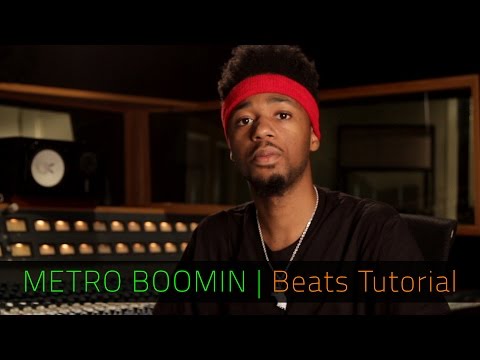
When producers discuss the best beat maker software, FL Studio consistently ranks at the top of the list, and for good reason. The software has cultivated a massive community of producers, many of whom started with little to no formal music training and grew into chart-topping professionals. Here is why the fruity loops beat maker environment continues to dominate:
- Lifetime free updates: Once you purchase FL Studio, you receive every future version at no additional cost. This is unheard of in the DAW industry and gives producers enormous long-term value.
- Pattern-based workflow: The step sequencer and pattern system make looping and arranging feel natural and fast, especially for rhythm-focused producers.
- Massive plugin suite included: Plugins like Sytrus, Harmor, Flex, and FLEX are bundled with FL Studio, meaning you get professional sound design tools without extra purchases.
- Huge community and tutorial ecosystem: Thousands of YouTube channels, forums, and online courses are dedicated specifically to FL Studio beat making.
- Cross-platform compatibility: FL Studio works on Windows and macOS, with mobile versions available for iOS and Android, so you can make beats anywhere.
Key Features That Make FL Studio a Powerhouse Beat Maker
Understanding the core features of FL Studio is essential for anyone serious about producing beats. Each of these tools plays a critical role in the beat making process, and mastering them will dramatically improve your workflow and output quality.
The Step Sequencer: The Heart of the Fruity Loops Beat Maker
The step sequencer is the tool that put FruityLoops on the map in the first place. It allows you to program drum patterns and instrument loops quickly by clicking grid cells on a 16-step or 32-step grid. Each step represents a beat subdivision, and you can toggle steps on or off to create rhythmic patterns instantly. The step sequencer supports multiple instruments simultaneously, so you can program drums, bass, melody, and FX all in one view.
For beginners, this is where the magic happens. You do not need to read sheet music or understand complex MIDI theory to start making beats. Simply click the steps, adjust the velocity of each hit, and you have a functional drum pattern in seconds. As you advance, you can use the channel rack to layer sounds, apply automation, and create more dynamic, evolving patterns.
The Piano Roll: Unmatched MIDI Editing
If the step sequencer handles drums, the piano roll handles everything else. FL Studio’s piano roll is widely regarded as the best MIDI editor in any DAW. It features advanced drawing tools, chord stamping, scale highlighting, and a powerful note manipulation system that makes composing melodies and chord progressions faster and more intuitive than competing platforms.
For a beat maker, the piano roll is where your musical ideas come to life. You can draw in melodies, program bass lines, create harmonies, and even design complex arpeggios with ease. The ability to right-click and access a vast palette of drawing tools — including the brush, line, triangle, and pencil — means you can sketch out ideas rapidly without fighting the software.
The Mixer, Automation, and Arrangement
Once your patterns are created, the mixer lets you apply effects, balance levels, and create a cohesive mix. Automation clips allow you to modulate parameters over time — volume swells, filter sweeps, pan movement — adding movement and energy to your beats. The playlist then serves as your arrangement canvas, where you drag, loop, and arrange your patterns into a full song structure.
FL Studio vs Other Popular Beat Maker Software: A Comparison
Choosing a beat maker software is one of the most important decisions a producer makes. Here is a comparison of FL Studio against other leading options in the beat making space.
| Feature | FL Studio | Ableton Live | Logic Pro | MPC Software |
| Workflow Style | Pattern-based, non-linear | Session and arrangement views | Linear, arrangement-focused | Pattern-based, hardware-inspired |
| Best For | Hip-hop, trap, EDM, pop beats | Live performance, electronic music | All-around production, macOS users | Hip-hop, drum-focused production |
| Pricing Model | Lifetime free updates | Subscription or one-time purchase | One-time purchase (macOS only) | One-time purchase |
| Learning Curve | Moderate, beginner-friendly | Moderate, session view takes practice | Steeper for beginners | Moderate, hardware-centric |
| Built-in Plugins | Extensive suite included | Good, some require extra purchase | Excellent stock plugins | Solid, MPC-specific sounds |
| Community Size | Enormous | Very large | Large, macOS-focused | Growing, producer-focused |
Beginner Tips for Starting Your Beat Maker Journey in FL Studio
If you are brand new to producing beats in FL Studio, the learning curve can feel overwhelming at first. But with the right approach, you can start making decent beats within your first few hours. Here are practical steps to get started:
- Start with the step sequencer: Create a simple drum beat using a kick, snare, and hi-hat. Keep it at 8 or 16 bars and focus on groove before complexity.
- Use the piano roll for melodies: Load a synth or piano instrument, draw a simple 4-bar melody, and experiment with different rhythms.
- Learn basic mixing: Add a few effects to your mixer tracks — EQ, compression, reverb — and learn how they shape your sound.
- Follow a tutorial series: Channels like Busy Works Beats, Internet Money, and Mr. Bill have excellent FL Studio beat making tutorials for beginners.
- Save your projects and revisit them: Build a library of patterns and sounds you can reuse across different beats.
The biggest mistake beginners make is trying to learn everything at once. Focus on making one solid beat before diving into advanced sound design or mixing techniques. Consistency and repetition build skill far faster than scattered learning.
Intermediate and Advanced Techniques for Professional-Level Beat Making

Once you are comfortable with the basics, it is time to level up your productions. These intermediate and advanced strategies will help you create beats that sound polished, professional, and competitive in today’s music landscape.
Sound Design with FL Studio’s Stock Plugins
FL Studio comes loaded with powerful synthesis and sound design tools. Harmor is a spectral resynthesizer that can transform any sample into entirely new sounds. Sytrus offers FM, additive, and ring modulation synthesis in a single plugin. Flex is a flexible sampler that lets you load and manipulate sounds quickly. Learning these tools gives you an edge as a beat maker because you will not need to rely on expensive third-party plugins to get unique sounds.
Workflow Optimization and Shortcuts
Experienced FL Studio producers develop muscle memory for keyboard shortcuts that dramatically speed up their workflow. Key shortcuts include F5 (playlist), F6 (step sequencer), F7 (piano roll), F9 (mixer), and Ctrl+B (duplicate pattern). Customizing your controller mappings and creating project templates can also save hours of setup time per beat.
Arranging Songs That Actually Flow
One of the biggest challenges beat makers face is turning a 4-bar loop into a full song. Use the playlist to create different variations of your patterns — intro, verse, chorus, bridge, drop — and arrange them with intentional energy progression. Automation clips for filter sweeps, volume rides, and effect sends can create transitions that keep the listener engaged from start to finish.
Best Plugins and Sound Packs for FL Studio Beat Makers
While FL Studio’s stock plugins are incredibly capable, many producers eventually expand their toolkit with third-party sounds and plugins. Some of the most popular additions include:
- Xfer Serum: A wavetable synthesizer essential for EDM, trap, and modern pop production.
- RC-20 Retro Color: Adds analog warmth, tape saturation, and vinyl noise for lo-fi beat aesthetics.
- Ozone by iZotope: Industry-standard mastering plugin for finalizing your beats before export.
- Splice and Loopcloud: Subscription-based sample libraries that give you instant access to thousands of drums, one-shots, and loops.
- Native Instruments Komplete: A comprehensive collection of virtual instruments and effects used by professional producers worldwide.
When selecting sounds, focus on quality over quantity. A small collection of high-quality drum samples and synth presets will serve you better than thousands of generic sounds that blend into the noise of every other producer’s library.
Conclusion: Your Path Forward as a Beat Maker in FL Studio
The journey from beginner to professional beat maker inside FL Studio is one of continuous learning, experimentation, and creative growth. The fruity loops software provides a platform that scales with your skills — from simple drum patterns on the step sequencer to complex, layered productions with advanced automation and sound design. Whether your goal is to produce beats for artists, release your own instrumentals, or create music for sync licensing, FL Studio gives you the tools and flexibility to get there.
The most important step is the one you take today. Open FL Studio, load a drum kit, start clicking steps on the sequencer, and let your creativity guide you. The best beat maker software in the world is only as powerful as the producer using it, and with dedication and practice, FL Studio will reward your effort in ways you never expected.
Frequently Asked Questions About Beat Maker Fruity Loops
1. What is the best FL Studio edition for a beginner beat maker?
The Fruity edition of FL Studio is the most affordable entry point and includes everything a beginner needs to start making beats — the step sequencer, piano roll, mixer, and over 80 built-in plugins. You can always upgrade to Signature or All Plugins editions later as your skills and needs grow.
2. Can I make professional-quality beats in FL Studio without expensive plugins?
Absolutely. FL Studio’s stock plugins like Harmor, Sytrus, Fruity Reeverb 2, and Fruity Limiter are professional-grade tools used on countless commercial releases. Many successful producers use only FL Studio’s built-in sounds and effects to create chart-topping beats.
3. What genres is FL Studio best suited for as a beat maker?
FL Studio excels in hip-hop, trap, EDM, lo-fi, pop, and R&B production thanks to its pattern-based workflow and powerful drum programming tools. However, its flexibility means it can be adapted for rock, jazz, orchestral, and nearly any other genre with the right approach and plugins.
4. How long does it take to learn FL Studio for beat making?
Most beginners can start producing basic beats within the first week of using FL Studio. However, reaching a professional level where your productions compete with industry standards typically takes six months to two years of consistent practice, study, and experimentation with the software’s advanced features.
5. Is FL Studio better than Ableton Live for making hip-hop beats?
While both are excellent, many hip-hop and trap producers prefer FL Studio because of its step sequencer, superior piano roll, and pattern-based workflow that aligns naturally with how hip-hop beats are constructed. That said, Ableton Live’s session view is powerful for live performance and electronic music production, so the best choice depends on your specific genre and workflow preferences.