


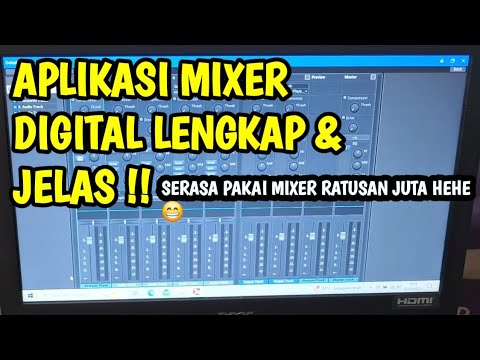
Audio mixing software has become the backbone of modern music production, podcasting, sound design, and post-production workflows. Whether you are a bedroom producer shaping your first beat or a seasoned studio engineer mixing a full album, choosing the right digital audio workstation or mixing application can make or break your creative output. The tools you use determine not only the quality of your final mix but also the speed, flexibility, and inspiration you bring to every session. In this guide, we will explore everything you need to know about audio mixing software, from essential features and top-rated programs to practical recommendations tailored for every skill level.
What Audio Mixing Software Is and Why It Matters
Audio mixing software, often referred to as a digital audio workstation (DAW) or a dedicated mixing console application, is a program designed to record, edit, arrange, and balance multiple audio tracks into a cohesive final product. Think of it as the virtual equivalent of a professional mixing console sitting in a world-class studio. Inside the software, you manipulate volume levels, pan positions, equalization, compression, reverb, and a vast array of effects to sculpt the sonic character of your project.
The importance of selecting the right mixing software cannot be overstated. The platform you choose directly influences your signal flow architecture, the plugin ecosystem available to you, the routing flexibility for complex sessions, and even the speed at which you can translate ideas into finished mixes. A well-chosen audio mixing environment streamlines your workflow, reduces technical friction, and frees you to focus on what truly matters: the music.
Key Features to Look For in Audio Mixing Software
Not all mixing applications are created equal. When evaluating options, consider these core capabilities that separate basic tools from professional-grade platforms.
Signal Processing Tools
Every quality audio mixing program should offer a robust set of built-in processing tools. These include parametric equalizers, dynamics processors like compressors and limiters, spatial effects such as reverb and delay, and modulation tools including chorus and phasers. The depth and quality of these native plugins often determine whether you need to invest in third-party virtual instruments and effects immediately.
Plugin Compatibility and Workflow
Plugin support is a critical factor. The best mixing software supports industry-standard formats such as VST3, AU (Audio Units for macOS), and AAX (for Pro Tools ecosystems). This compatibility opens up thousands of third-party tools from developers like Waves, FabFilter, iZotope, and Soundtoys. Additionally, features like automation lanes, group channel routing, bus processing, and session recall dramatically impact how efficiently you can work through large, multi-track projects.
Latency Performance and Audio Engine
Low-latency audio engines ensure that monitoring during recording and real-time processing remain smooth and responsive. Look for software that offers customizable buffer sizes and ASIO driver support on Windows or Core Audio optimization on macOS.
Top Audio Mixing Software Options in 2024
The market offers a diverse range of mixing platforms, each with distinct strengths. Here is a closer look at some of the most respected options available today.
Free and Budget-Friendly Options
If you are just starting out or working with a limited budget, several free or low-cost audio mixing programs deliver impressive results.

- Audacity — A free, open-source editor ideal for basic mixing, podcast editing, and simple multitrack projects.
- Cakewalk by BandLab — A fully featured DAW formerly known as SONAR, now available at zero cost with professional-grade mixing capabilities.
- GarageBand — Apple’s free entry-level DAW that offers surprisingly powerful mixing tools for macOS and iOS users.
- Tracktion Waveform Free — A capable, unlimited free DAW with intuitive mixing workflows and no track count restrictions.
Professional-Grade DAWs
For serious producers and engineers, professional mixing platforms provide the depth, stability, and advanced routing needed for commercial-grade work.
- Avid Pro Tools — The industry standard for post-production and studio recording, offering unparalleled session collaboration and advanced mixing workflows.
- Apple Logic Pro — A macOS-exclusive powerhouse combining deep mixing tools with exceptional value at a one-time purchase price.
- Ableton Live — Renowned for its session view and live performance capabilities, with a robust mixing engine suited for electronic music producers.
- Steinberg Cubase — A veteran DAW with sophisticated mixing, MIDI editing, and scoring features favored in film and game audio.
- FL Studio — A pattern-based workflow with a powerful mixer and lifetime free updates, popular among beat makers and electronic producers.
Comparison Table: Leading Audio Mixing Software at a Glance
| Software | Pricing Model | Platform | Best For | Plugin Formats |
| Pro Tools | Subscription / Perpetual | Windows, macOS | Studio recording, post-production | AAX, VST, AU |
| Logic Pro | One-time purchase ($199) | macOS | All-around production, mixing | AU, VST3 |
| Ableton Live | Starting at $99 | Windows, macOS | Electronic music, live performance | VST, AU |
| Cubase | Starting at $99.99 | Windows, macOS | Film scoring, complex sessions | VST3, AU |
| FL Studio | Starting at $99 (lifetime) | Windows, macOS | Beat making, electronic production | VST3, AU |
| Cakewalk by BandLab | Free | Windows | Budget-conscious professionals | VST, VST3, AU |
How to Choose the Right Audio Mixing Software for Your Needs
Selecting the best mixing software depends on several personal and project-specific factors. Here is a breakdown by experience level.
For Beginners
If you are brand new to audio production, prioritize software with an intuitive interface, extensive learning resources, and a gentle learning curve. GarageBand for Mac users and FL Studio are excellent starting points because they provide immediate creative gratification without overwhelming you with advanced routing and session management concepts. Free options like Audacity and Cakewalk also allow you to learn the fundamentals of mixing without any financial commitment.
For Intermediate Producers

At this stage, you understand basic gain staging, EQ, and compression but want deeper control and a more professional workflow. Logic Pro offers an extraordinary feature set at a one-time price, while Ableton Live excels if your music leans toward electronic genres. Consider investing in third-party mixing plugins during this phase to expand your sonic palette beyond what stock plugins offer.
For Advanced Engineers and Studio Professionals
Professionals need rock-solid stability, advanced surround sound and immersive audio support, detailed automation, and seamless collaboration tools. Pro Tools remains the dominant choice in commercial studios and post-production houses. Cubase and Logic Pro also cater to advanced users with deep mixing editors, frequency spectrum analyzers, and advanced metering suites that provide the precision demanded in mastering and broadcast environments.
Expert Tips for Getting the Most Out of Your Mixing Software
Even the most powerful audio mixing software will only deliver results as good as the engineer using it. Here are actionable tips from experienced professionals.
- Organize your session early. Color-code tracks, name channels clearly, and group related instruments into folders before you start mixing.
- Reference commercial tracks. Import a professionally mixed song into your session and A/B compare your mix against it regularly to maintain perspective.
- Use subtractive EQ first. Cut problematic frequencies before boosting anything — this creates cleaner, more impactful mixes.
- Commit to your sound. Print effects like reverb and delay to tracks periodically to free up processing power and create a cohesive sonic space.
- Take frequent breaks. Ear fatigue is real. Step away every 45–60 minutes to return with fresh ears and more objective mixing decisions.
- Learn your keyboard shortcuts. Speed in mixing software translates directly to faster iteration and more creative experimentation during sessions.
Frequently Asked Questions
What is the best free audio mixing software for beginners? For those just starting out with zero budget, Cakewalk by BandLab and Tracktion Waveform Free stand out as the most capable free options. Cakewalk offers a full professional feature set including unlimited track counts, advanced MIDI editing, and support for third-party VST plugins. Waveform Free provides an intuitive interface with no artificial limitations on project complexity, making both excellent choices for learning the fundamentals of multitrack mixing without any financial investment.
Can I use audio mixing software on a laptop for live performances? Absolutely. Many modern mixing applications are optimized for portable use. Ableton Live is particularly well-suited for laptop-based live mixing thanks to its Session View and low-latency audio engine. Logic Pro on a MacBook Pro with an external USB audio interface can deliver professional-grade live mixing for events, DJ sets, and electronic performances. Ensure your laptop meets the recommended CPU and RAM specifications for real-time processing to avoid glitches.
Which audio mixing software integrates best with third-party plugins? Cubase and Pro Tools offer the broadest plugin compatibility, supporting VST3, AU, and AAX formats natively. FL Studio also provides excellent third-party integration with its built-in wrapper supporting both VST and AU formats. If you rely heavily on premium plugin suites from companies like FabFilter, iZotope, or Waves, prioritize a DAW that explicitly supports the plugin formats those developers provide.
How much should I spend on audio mixing software? Pricing varies dramatically, from completely free options like Cakewalk and Audacity to professional suites costing $500–$800. For most independent musicians and aspiring producers, a one-time purchase of $99–$199 covers all essential mixing needs. Logic Pro at $199 offers exceptional value with its comprehensive feature set. Subscription models like Pro Tools ($10–$30/month) suit professionals who need constant updates and cloud collaboration features without a large upfront cost.
Is audio mixing software the same as a DAW? The terms are often used interchangeably, but there is a subtle distinction. A DAW (Digital Audio Workstation) is a comprehensive platform that handles recording, editing, arranging, and mixing within a single application. Audio mixing software can refer to standalone mixing applications or the mixing component within a broader DAW. Most modern DAWs include powerful built-in mixing consoles, but some producers use dedicated mixing plugins or standalone mixers alongside their primary DAW for specialized tasks like immersive audio mixing or stem-based mastering.
What computer specifications do I need for professional audio mixing software? For smooth operation with multiple tracks and plugin chains, aim for a minimum of 16 GB RAM, a multi-core processor (Intel i7 or Apple M1/M2 chip or equivalent), and a SSD for fast project loading and audio file access. A dedicated USB audio interface with ASIO drivers (Windows) or Core Audio compatibility (macOS) is essential for low-latency monitoring during mixing sessions. Graphics card requirements are generally modest unless you are working with extensive video integration or immersive spatial audio formats.
Final Thoughts
The world of audio mixing software has never been more accessible or more powerful. From free entry-level programs that let you learn the craft to professional-grade DAWs used in Platinum-selling studios, there is a mixing platform perfectly suited for every ambition and budget. The key is to match your software to your goals, invest time in learning its unique workflow, and continuously refine your mixing instincts through practice and critical listening. The right audio mixing tool becomes not just a piece of software but an extension of your creative voice — empowering you to turn raw recordings into polished, compelling productions that resonate with listeners.