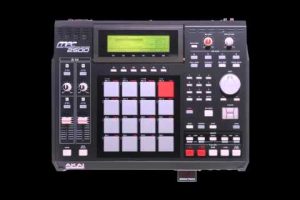
Finding the best beat maker software can feel overwhelming, especially when you are just starting out or looking to upgrade your current setup. Whether you want to produce hip-hop beats, trap rhythms, EDM loops, or lo-fi melodies, the right beat maker program makes all the difference between a frustrating experience and a creative breakthrough. In this guide, we break down the top beat maker applications across every skill level — from absolute beginners to seasoned professionals — so you can find the perfect fit for your music production journey. We also cover essential features, expert tips, and frequently asked questions to help you make an informed decision.
What Is a Beat Maker?
A beat maker is a software application or digital tool designed for creating beats, rhythms, and instrumental tracks. Most modern beat maker programs are part of a broader category known as digital audio workstations, or DAWs. These platforms give producers the ability to sequence drum patterns, layer melodies, manipulate audio samples, and arrange full compositions — all within a single application. The term “beat maker” has evolved significantly over the years. What started as simple drum machines and hardware sequencers has transformed into sophisticated beat making software that rivals expensive studio equipment. Today, whether you are producing on a desktop, laptop, or even a tablet, there is a beat creator tool that matches your workflow and budget.
Best Beat Maker Software for Beginners
Starting your beat making journey does not require a massive budget or years of experience. Some of the most powerful production tools on the market are designed with newcomers in mind, offering intuitive interfaces, built-in tutorials, and drag-and-drop functionality that lets you start creating beats within minutes.
FL Studio
FL Studio is widely regarded as one of the best beat maker programs for beginners and professionals alike. Its pattern-based workflow is incredibly visual, allowing you to see your musical ideas come to life on the playlist and piano roll. The lifetime free updates policy is a major advantage, meaning you never have to pay for a new version once you purchase FL Studio. It comes packed with virtual instruments, sample packs, and effects plugins right out of the box. Many chart-topping producers credit FL Studio as their go-to beat making software, and it remains one of the most popular choices in the hip-hop and trap communities.
GarageBand
If you own a Mac or an iPhone, GarageBand is arguably the best free beat maker available. Apple designed GarageBand to be approachable, with a clean interface and a rich library of loops, virtual instruments, and audio recording capabilities. While it lacks some of the advanced features found in professional DAWs, GarageBand is more than capable of producing polished, professional-quality beats. It serves as an excellent stepping stone to Logic Pro if you ever want to level up your production skills.

Best Beat Makers for Intermediate Producers
Once you have mastered the basics and are ready to explore more advanced sound design, mixing techniques, and workflow efficiencies, moving to an intermediate-level beat maker program is the natural next step. These applications balance accessibility with depth, giving you the room to grow without overwhelming you with complexity.
Ableton Live
Ableton Live stands out as one of the most innovative beat making programs on the market, particularly for producers who perform live or rely heavily on loop-based composition. Its Session View allows you to trigger clips and experiment with arrangements in real time, making it an exceptional tool for electronic music producers, hip-hop beatmakers, and live performers. Ableton’s built-in audio effects and instruments are industry-grade, and its Max for Live feature opens up virtually unlimited creative possibilities. If you value speed and flexibility in your workflow, Ableton Live should be at the top of your list.
Logic Pro
Logic Pro is Apple’s flagship professional beat maker and DAW, offering an incredible feature set at a one-time price that undercuts many competitors. It includes a massive sound library with thousands of virtual instruments, loops, and samples. Logic Pro supports advanced MIDI editing, surround sound mixing, and spatial audio — features that make it equally powerful for beat making and full-scale music production. Many producers who start in GarageBand transition to Logic Pro when they need more professional-grade tools without switching to a completely new platform.
Advanced Professional Beat Makers
For seasoned producers and professional studios, the best beat maker software offers deep customization, advanced routing options, and uncompromising audio quality. These tools are built for complex projects, large-scale compositions, and workflows that demand precision and speed.
Steinberg Cubase
Cubase has been a cornerstone of professional music production for decades. It is a full-featured digital audio workstation that excels in MIDI composition, audio editing, and scoring. While it has a steeper learning curve than many other beat making programs, Cubase rewards users with unmatched depth and control over every aspect of their projects. Its chord pads, arranger track, and advanced mix console make it a favorite among orchestral composers, film scorers, and electronic music producers alike.

Reason Studios
Reason Studios offers a unique approach to beat making by simulating a rack of physical studio hardware inside a single application. Every instrument, mixer, and effects unit is represented as a virtual device with patch cables you can route in real time. This visual, tactile workflow appeals to producers who think in terms of signal flow and hardware setups. Reason’s built-in sound libraries are exceptional, and the software integrates seamlessly with other DAWs via ReWire or VST plugin support.
Beat Maker Comparison Table
| Software | Best For | Price Model | Platform |
| FL Studio | Beginners to professionals; hip-hop and trap production | One-time purchase with lifetime updates | Windows, Mac |
| GarageBand | Absolute beginners; Mac and iOS users | Free | Mac, iOS |
| Ableton Live | Intermediate to advanced; live performance and electronic music | One-time purchase; Intro, Standard, Suite tiers | Windows, Mac |
| Logic Pro | Intermediate to professional; full production and mixing | One-time purchase; $199.99 | Mac only |
| Cubase | Professional; scoring, MIDI, and complex arrangements | Subscription or perpetual license | Windows, Mac |
| Reason Studios | Creative, hardware-simulation workflow; intermediate to advanced | One-time purchase; $499 | Windows, Mac |
Key Features to Look for in a Beat Maker
When evaluating the best beat maker software for your needs, consider the following essential features that separate good programs from great ones.
- Workflow and Interface: A clean, intuitive layout saves hours of frustration, especially for beginners learning the ropes of music production.
- Built-in Sounds and Samples: The best beat maker applications come loaded with high-quality drum kits, melodies, and one-shots that you can use immediately.
- MIDI and Piano Roll Editing: Precise MIDI editing is critical for crafting custom melodies, chord progressions, and drum patterns.
- Plugin Support: VST and AU plugin compatibility lets you expand your sound palette with third-party instruments and effects.
- Audio Recording: If you plan to record vocals or live instruments, ensure your beat maker supports multi-track audio recording and editing.
- Export and Sharing Options: Look for flexible export settings, including WAV, MP3, stems, and MIDI file export for collaboration.
Expert Tips for Choosing the Right Beat Maker
- Start with your genre: Different beat making programs are optimized for different styles. FL Studio and Ableton Live dominate hip-hop and electronic production, while Cubase excels in orchestral and cinematic scoring.
- Take advantage of free trials: Most professional beat maker software offers free trials or demo versions. Use them to test the workflow before committing your money.
- Consider long-term value: A slightly more expensive program with lifetime updates and a rich feature set often delivers better value than a cheap subscription that locks essential tools behind paywalls.
- Watch tutorials: Before committing, browse YouTube channels and forums dedicated to your chosen beat maker. A strong community and abundant learning resources make a huge difference in your progress.
- Think about your hardware: Some beat maker applications are resource-intensive. Check the system requirements to ensure your computer or tablet can handle the software smoothly.
Frequently Asked Questions

What is the best free beat maker for beginners?
GarageBand is widely considered the best free beat maker for beginners, especially on macOS and iOS devices. It comes pre-installed on most Apple devices and offers a surprisingly robust set of tools, including virtual instruments, loops, and audio recording capabilities. For Windows users, Cakewalk by BandLab is a powerful free alternative that provides professional-grade features without any cost.
Which beat maker do professional producers use?
Professional producers use a range of beat making software depending on their genre and workflow preferences. FL Studio, Ableton Live, and Logic Pro are the most popular choices among working producers in hip-hop, pop, and electronic music. Many top-tier producers also use Cubase and Reason Studios for complex arrangements and scoring projects. The key is finding the tool that matches your creative process rather than following trends.
Can I make professional beats with a free beat maker?
Absolutely. Free beat maker applications like GarageBand, Cakewalk by BandLab, and LMMS have been used to produce chart-topping tracks and award-winning albums. Professionalism in music production comes from your skills, creativity, and mixing techniques — not from the price tag of your software. That said, investing in a paid beat maker program unlocks advanced features, better sample libraries, and more reliable technical support.
What is the easiest beat maker to learn?
GarageBand and FL Studio are generally the easiest beat maker programs to learn for beginners. GarageBand’s drag-and-drop interface and built-in loops let you start making music immediately, while FL Studio’s pattern-based workflow provides a visual, intuitive approach to beat construction. Both platforms have massive tutorial communities online, making it easy to find step-by-step guidance for any skill level.
Is a beat maker the same as a DAW?
The terms are closely related but not identical. A beat maker is a broad term for any software that helps you create beats, while a DAW (digital audio workstation) is a more comprehensive term for software that handles recording, editing, mixing, and mastering audio. Most modern beat maker applications are also full-featured DAWs, but some lightweight beat-making apps focus solely on rhythm and beat creation without offering the full production suite of a traditional DAW.
Final Thoughts
The best beat maker for you depends on your experience level, creative goals, budget, and preferred workflow. Whether you are just tapping out your first drum pattern or mixing a full track for release, the software you choose shapes every part of the process. FL Studio, GarageBand, Ableton Live, Logic Pro, Cubase, and Reason Studios all represent the best options in their respective categories, and each one offers a clear path from beginner to professional. Take advantage of free trials, invest time in learning the fundamentals, and remember that the tool is only as good as the producer behind it. Start creating today, and let your beat maker become the canvas for the music you were born to make.