


Ableton music production software has fundamentally reshaped how creators approach sound design, beat making, and live performance. Unlike traditional digital audio workstations that follow a linear timeline model, Ableton Live introduces a revolutionary dual-view workflow that empowers producers to compose, arrange, mix, and perform — all within a single environment. Whether you are a bedroom producer just starting your first track or a seasoned DJ spinning at festivals, understanding what makes Ableton Live tick can elevate your entire creative process. In this comprehensive guide, we dive deep into the features, editions, workflows, and strategies that make Ableton one of the most powerful music production tools available today.
What Is Ableton Live and Why Does It Matter?
Ableton Live is a digital audio workstation (DAW) designed for both studio production and live performance. Developed by the German company Ableton, the software was originally created to facilitate improvisation and experimentation, making it a natural fit for electronic music producers, hip-hop beatmakers, and live performers. What sets Ableton apart from competitors like FL Studio, Logic Pro, or Pro Tools is its unique Session View, which allows users to trigger clips, loops, and effects in real time without being locked into a fixed arrangement.
This non-linear approach to music creation means you can jam, improvise, and explore ideas on the fly — then seamlessly transition into Arrangement View to finalize your track. For producers who value speed and spontaneity, Ableton Live is often considered the gold standard in music production software.
Core Features That Define Ableton Live
Ableton Live packs an impressive array of built-in tools that cover nearly every stage of the production pipeline. Here is a closer look at what makes the software so compelling.
Session View: The Heart of Improvisational Production
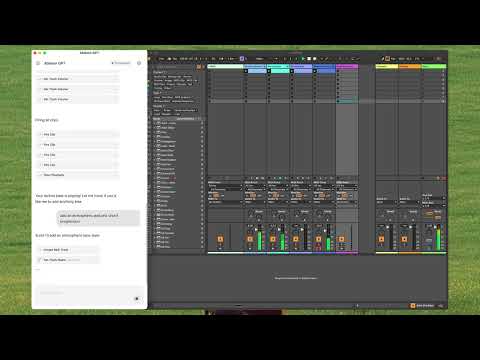
Session View is the engine room of Ableton. It presents clips as a grid of rows and columns, where each row represents a different audio or MIDI track. You can launch clips independently or in sync, creating dynamic arrangements on the spot. This view is especially valuable for:
- Live performance and DJ sets
- Rapid prototyping of song ideas
- Experimenting with different arrangement variations
- Loop-based composition and jamming
Arrangement View: Precision and Structure

Once you have explored ideas in Session View, Arrangement View lets you organize everything into a polished, timeline-based structure. You can record your Session View performances directly into Arrangement View, giving you the best of both worlds — creative freedom and structural control.
Warping and Audio Manipulation
Ableton’s warping engine is one of its most celebrated features. It allows you to time-stretch and pitch-adjust audio clips without degradation, making it incredibly easy to match tempos, rearrange vocal takes, or sync samples to your project’s BPM. For producers working with samples and found sounds, this is a game-changer.
Built-in Instruments and Effects
Ableton Live comes loaded with high-quality instruments and audio effects, including:
- Operator — a powerful FM synthesis engine
- Wavetable — a versatile wavetable synthesizer
- Analog — a modeled analog-style synthesizer
- Suite-only instruments like Sampler, Collision, and Tension
- EQ Eight, Glue Compressor, Reverb, and Delay for mixing
Max for Live Integration
Max for Live is a powerful tool built into Ableton that allows users to create custom devices, effects, and generative systems using a visual programming environment. This opens up virtually limitless possibilities for sound design and automation, making Ableton one of the most extensible DAWs on the market.
Ableton Live Editions: Which One Is Right for You?
Ableton offers three editions, each tailored to different production needs and budgets. Here is a detailed comparison.
| Feature | Intro | Standard | Suite |
| Price | $99 | $449 | $749 |
| Max Tracks | 16 | Unlimited | Unlimited |
| Session View | Yes | Yes | Yes |
| Built-in Instruments | Limited | Core set | Full Suite (Sampler, Simpler, Operator, Wavetable, Collision, Tension, Corpus) |
| Max for Live | No | No | Yes |
| Advanced Warping Modes | Basic | Full | Full |
| Best For | Beginners, casual producers | Serious studio producers | Professional and experimental producers |
For most producers, the Standard edition offers the best balance of features and affordability. However, if you are deeply into sound design, sampling, or need Max for Live for custom workflows, Suite is the clear winner.
Who Is Ableton Live Best For?
For Beginners: Ableton Live Intro is an affordable entry point that teaches core DAW concepts without overwhelming new users. The intuitive interface and drag-and-drop workflow make it one of the easiest music production platforms to learn. Many producers recommend starting with the free 90-day trial before committing to a purchase.
For Intermediate Producers: Standard edition provides all the tools needed for professional-quality tracks. Its seamless Session-to-Arrangement workflow, robust MIDI editing, and extensive plugin support make it ideal for producers transitioning from casual experimentation to structured song completion.
For Advanced Users: Suite with Max for Live unlocks an entire universe of creative potential. Sound designers, avant-garde electronic artists, and live performers rely on Suite for its deep synthesis capabilities, custom device creation, and unparalleled real-time performance features.
Ableton Live vs. Other Popular DAWs
When choosing music production software, it helps to understand how Ableton stacks up against the competition.
| DAW | Best For | Key Strength | Weakness |
| Ableton Live | Electronic music, live performance, beat making | Session View, warping, Max for Live | Limited built-in orchestral tools |
| FL Studio | Hip-hop, trap, loop-based production | Piano roll, lifetime free updates | Less intuitive for live performance |
| Logic Pro | Mac users, film scoring, pop production | Value, built-in sounds, MIDI editing | Mac only, less performance-oriented |
| Pro Tools | Professional recording, mixing, post-production | Industry standard, audio editing precision | Expensive, steep learning curve |
While each DAW has its strengths, Ableton Live’s combination of studio production power and real-time performance capability makes it uniquely versatile. If your workflow involves experimentation, improvisation, and live playback, few alternatives match Ableton’s responsiveness and creative fluidity.
Expert Tips to Supercharge Your Ableton Workflow
Even experienced producers can benefit from sharpening their Ableton habits. Here are some proven strategies used by top-tier music creators.
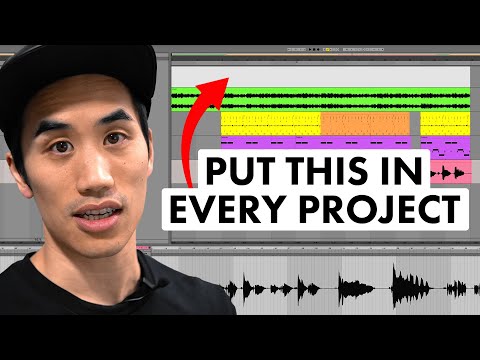
- Use Groups and Color Coding: Organize your tracks by function — drums, bass, synths, vocals — and assign distinct colors. This makes complex projects far more navigable and reduces visual clutter.
- Leverage Rack Macros: Map key parameters to macros on Audio Effect Racks and Instrument Racks. This gives you a single knob to control multiple parameters, dramatically speeding up automation and live tweaking.
- Save Clips as Presets: Build a personal library of warping presets, effect chains, and instrument configurations. Reusing these across projects saves hours of setup time.
- Master the Command Shortcuts: Learn shortcuts for clip launching (Shift+number), splitting (Ctrl/Cmd+E), and grouping (Ctrl/Cmd+G). Speed in the studio translates directly to creative momentum.
- Use Follow Actions in Session View: Set up follow actions so clips trigger each other in sequences or random patterns. This is a powerful technique for generative music, ambient soundscapes, and live looping.
- Explore Third-Party Max for Live Devices: The Max for Live ecosystem includes thousands of community-built devices for everything from granular synthesis to AI-driven beat generation. Investing time in this ecosystem pays enormous dividends.
Why Producers Keep Coming Back to Ableton
The reason Ableton music production software maintains such a loyal user base comes down to one word: flow. When you are in the zone, every second spent fighting your tools is a second stolen from your creativity. Ableton minimizes friction between idea and execution. You can sketch a beat in seconds, audition sounds instantly through Session View, record your best improvisation directly into Arrangement View, and start mixing — all without ever leaving the application.

Furthermore, Ableton’s commitment to continuous improvement ensures the software evolves with the needs of modern producers. Each major update brings new devices, improved workflow features, and expanded hardware integration, keeping Ableton at the cutting edge of music technology.
Final Thoughts
Ableton Live is more than just music production software — it is a creative ecosystem designed to nurture ideas from their earliest sparks into finished, polished tracks. Whether you are making electronic music, hip-hop beats, experimental sound art, or performing live sets for thousands of people, Ableton provides the tools, flexibility, and speed to bring your vision to life. Start with the edition that fits your current needs, invest time in learning its workflow deeply, and watch as your production capabilities expand in ways you never expected.
Frequently Asked Questions
1. Is Ableton Live the best DAW for beginners?
Ableton Live is widely regarded as one of the best DAWs for beginners thanks to its intuitive interface, visual workflow, and extensive learning resources. However, the Intro edition has track limits, so aspiring producers may want to consider Standard if they plan to work on larger projects from the start.
2. Can Ableton Live be used for live performances?
Absolutely. Ableton Live was originally built with live performance in mind. Its Session View, clip launching, real-time warping, and MIDI mapping capabilities make it a favorite among DJs, electronic musicians, and live acts worldwide.
3. How much does Ableton Live Suite cost?
Ableton Live Suite retails for $749 USD. While this is a significant investment, the inclusion of Max for Live, a full suite of instruments, and extensive audio effects makes it excellent value for serious producers and sound designers.
4. Does Ableton Live support third-party plugins?
Yes. Ableton Live supports VST and Audio Units (AU) plugins, allowing you to integrate third-party instruments and effects into your projects alongside Ableton’s built-in tools.
5. What makes Ableton’s warping engine unique?
Ableton’s warping engine allows you to time-stretch and pitch-correct audio clips non-destructively with remarkable accuracy. It offers multiple warping algorithms (Beats, Tones, Texture, Polyphonic) optimized for different audio content, making it the most flexible warping system available in any DAW.
6. Can I use Ableton Live on a Chromebook or Linux?
Ableton Live is officially supported on Windows and macOS only. It does not run natively on Linux or Chrome OS, so Windows or Mac hardware is required for the full experience.