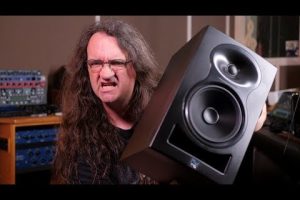
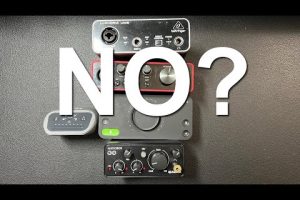
If you are building or upgrading a home studio, choosing the best studio monitors for your setup is arguably the single most important investment you can make. Studio monitors, also known as reference speakers, are designed to reproduce audio with accuracy and clarity, giving you a honest representation of your mix. Unlike consumer speakers that color the sound with exaggerated bass or treble, studio monitors aim for a flat frequency response so you can make confident mixing and mastering decisions. Whether you are a beginner just getting started with digital audio workstations or an experienced engineer chasing pristine low-end translation, this guide covers everything you need to know about selecting the right nearfield monitors, midfield monitors, and active speakers for your home recording environment.
Why Studio Monitors Matter for Home Recording

Many aspiring producers underestimate the role that accurate monitoring plays in the creative process. When your speakers lie to you, your mixes suffer. You might boost the bass too much on one system, only to find it overwhelms the track on another. Studio monitors solve this problem by providing a neutral, uncolored sound signature that reveals every detail of your mix, including imperfections that consumer speakers tend to hide.
The difference between studio monitors and regular speakers comes down to design philosophy. Reference monitors prioritize flat frequency response, low distortion, and predictable dispersion patterns. They are engineered to work at close listening distances, which makes them ideal for home studios where room sizes are typically limited. Nearfield monitors, the most popular category for home studios, are designed to be placed within three to five feet of the listener, reducing the impact of room acoustics and reflections.
Key Features to Consider Before Buying Studio Monitors
Before you dive into specific models, understanding the core specifications will help you narrow down your options and avoid common purchasing mistakes.
Frequency Response and Flatness
The frequency response of a studio monitor describes the range of bass, midrange, and treble it can reproduce. A flat response means the speaker does not artificially boost or cut any particular frequency band. Look for monitors with a stated frequency range close to 40 Hz to 20 kHz, as this covers the full spectrum of human hearing. Some budget models roll off below 60 Hz, which is fine for mixing electronic music but may limit your ability to evaluate sub-bass content accurately.
Driver Size and Room Size Matching
Driver size directly impacts bass reproduction and overall presence. Here is a quick breakdown to help you match monitor size to your room:
- 5-inch drivers: Best for small rooms and desks under five feet wide. Ideal for bedroom producers and podcast editors.
- 6.5-inch drivers: A versatile sweet spot that handles most genres well, even in medium-sized rooms up to 150 square feet.
- 8-inch drivers: Deliver deeper bass extension and work well in larger home studios or dedicated mixing spaces.
- 10-inch and above: Typically reserved for midfield or far-field monitoring in larger control rooms.
Active vs. Passive Monitors
Almost all modern studio monitors for home use are active monitors, meaning they have built-in amplifiers tuned to the drivers. This eliminates the need for a separate power amplifier and simplifies your setup. Passive monitors require external amplification and are more common in professional studios with centralized power distribution. For a home studio, active nearfield monitors are almost always the right choice.
Best Budget Studio Monitors for Beginners
If you are just starting out and working with a limited budget, you do not need to sacrifice accuracy. Several manufacturers offer exceptional entry-level monitors that punch well above their price point.
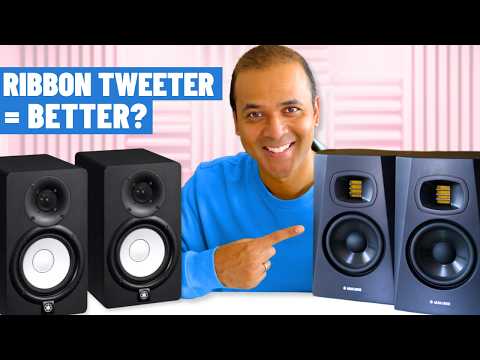
- Yamaha HS5 — One of the most respected budget monitors on the market. The 5-inch woofer and 1-inch tweeter deliver a remarkably flat and honest sound. The room control switch helps tame problematic reflections in untreated spaces, making the HS5 an excellent choice for bedroom producers.
- KRK Rokit 5 G4 — Known for their built-in EQ curve and vibrant sound, KRK Rokits are popular among electronic music producers. The G4 generation adds a built-in LCD display, customizable EQ curves, and improved amplifier design. They have a slightly forward midrange that many engineers appreciate for quick decision-making.
- PreSonus Eris E3.5 — An ultra-budget option that still delivers surprisingly good accuracy for the price. These 3.5-inch monitors are best suited for very small rooms or portable setups.
Best Mid-Range Studio Monitors for Intermediate Producers
Once you have outgrown entry-level gear and want more detail, deeper bass, and better dynamics, stepping up to mid-range monitors is a natural progression.
- Yamaha HS7 — The larger sibling of the HS5. With a 6.5-inch cone driver and bi-amplified design, the HS7 offers tighter bass and more headroom than its smaller counterpart. It is widely regarded as one of the most reliable reference monitors available.
- KRK Rokit 7 G4 — Building on the success of the 5-inch version, the 7-inch KRK delivers extended low-end response that is particularly useful for mixing hip-hop, EDM, and pop tracks. The built-in room correction and EQ presets give users more control over their sonic environment.
- Adam Audio T7V — Adam’s signature X-ART tweeter provides exceptional detail and clarity in the upper frequencies. The 7-inch woofer offers solid bass extension, and the overall tonal balance is slightly more analytical, which many professional engineers prefer for critical listening.
Best Premium Studio Monitors for Advanced Mix Engineers
For experienced producers and mastering engineers who demand the highest level of accuracy and transparency, premium studio monitors represent the gold standard in home studio monitoring.
- Neumann KH 120 A — Neumann is a legendary name in professional audio, and the KH 120 A brings that heritage to the nearfield format. These monitors are known for their exceptional transient response and ultra-low distortion. They reveal every nuance in a mix and are trusted in top-tier studios worldwide.
- Genelec 8040B — Genelec’s Directivity Control Waveguide technology ensures that the sound remains consistent even in challenging room environments. The 8040B is compact yet powerful, with a refined midrange and smooth high-frequency reproduction that makes long mixing sessions comfortable.
- Focal Alpha 65 Evo — Focal’s flax cone drivers and inverted copper dome tweeters deliver a dynamic, engaging sound with stunning stereo imaging. The Alpha Evo series represents a significant upgrade over the original Alpha line, with improved distortion performance and refined crossover design.
Comparison Table: Top Picks Across Price Categories
| Monitor Model | Driver Size | Frequency Range | Best For | Price Range |
| Yamaha HS5 | 5-inch | 54 Hz – 30 kHz | Beginner bedroom producers | $300 – $350/pair |
| KRK Rokit 5 G4 | 5-inch | 44 Hz – 40 kHz | Electronic music producers | $300 – $380/pair |
| Yamaha HS7 | 6.5-inch | 43 Hz – 30 kHz | Intermediate mix engineers | $500 – $600/pair |
| Adam Audio T7V | 7-inch | 41 Hz – 26 kHz | Detail-oriented mixers | $600 – $750/pair |
| Neumann KH 120 A | 5.25-inch | 48 Hz – 21 kHz | Advanced/professional use | $1,200 – $1,400/pair |
| Genelec 8040B | 6.5-inch | 47 Hz – 25 kHz | Professional critical listening | $1,100 – $1,300/pair |
Expert Tips for Setting Up Studio Monitors in a Home Studio
Even the most expensive monitors will underperform if they are not set up correctly. Here are practical tips to get the most out of your reference speakers:
- Form an equilateral triangle: Position your monitors and listening position so that each side of the triangle is equal. This ensures proper stereo imaging and phase coherence.
- Place monitors away from walls: Bass buildup against walls causes low-frequency muddiness. Pull your monitors at least 12 to 18 inches from the rear wall for tighter bass response.
- Use isolation pads or stands: Vibrations from the monitor cabinet can transfer into your desk or shelf, coloring the sound. Decoupling pads or sturdy stands eliminate this issue.
- Treat first reflection points: Place acoustic foam or mineral wool panels at the points where sound bounces off the side walls before reaching your ears. This dramatically improves clarity.
- Calibrate your listening level: Mix at a consistent volume, ideally around 79–85 dB SPL at the listening position. Our ears are most sensitive in the midrange, and mixing at moderate levels helps you make more balanced decisions.
- Reference on multiple systems: Always check your mix on headphones, a car stereo, and a Bluetooth speaker to ensure translation across different playback devices.
Frequently Asked Questions
What are the best studio monitors for a small home studio room?
For small rooms, 5- to 6.5-inch nearfield monitors are the ideal choice. The Yamaha HS5 and KRK Rokit 5 G4 are consistently recommended because they offer accurate sound reproduction without overwhelming bass buildup that small rooms tend to amplify. The Genelec 8030C is another excellent compact option with advanced directivity control that minimizes room interaction.
Do I need studio monitors for mixing if I have good headphones?
Headphones are excellent for editing, recording, and detailed EQ work, but they cannot fully replicate how a mix translates to speakers in a real room. Studio monitors reveal spatial issues, phase problems, and stereo balance that headphones often mask. A combination of both nearfield monitors and quality monitoring headphones gives you the most complete picture of your mix.
How far should studio monitors be from the wall behind them?
Ideally, position your studio monitors at least 12 to 24 inches away from the rear wall. This reduces bass buildup caused by boundary reinforcement. If you have limited space, using monitors with rear-facing bass ports placed close to the wall can cause boomy, muddy low frequencies. Some monitors offer switchable port configurations for near-wall placement, which is worth considering for compact home studios.
What is the difference between nearfield and midfield studio monitors?

Nearfield monitors are designed to be listened to from a distance of three to five feet. They are the standard for home studios because they minimize the influence of room acoustics. Midfield monitors are larger speakers intended for listening distances of six to ten feet. They typically feature bigger drivers, more powerful amplification, and wider frequency response, making them better suited for larger, acoustically treated control rooms.
Can I use powered monitors with an audio interface?
Absolutely. In fact, powered (active) studio monitors are designed to work directly with the line-level output of an audio interface or mixer. You simply connect the monitor’s input cable to the interface’s monitor output, adjust the gain, and you are ready. There is no need for additional amplification, which keeps your signal chain clean and your setup simple.
Conclusion
Selecting the best studio monitors for your home studio comes down to understanding your room size, listening distance, budget, and the genres you produce. From the reliable Yamaha HS5 for beginners to the precision-engineered Neumann KH 120 A for advanced professionals, there is a perfect pair of reference monitors for every stage of your journey. Invest in accurate monitoring, set up your monitors correctly, and your mixes will translate better across every playback system. The right studio monitors do not just improve your sound—they transform the way you hear and create music.