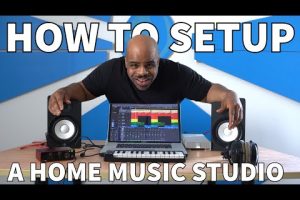
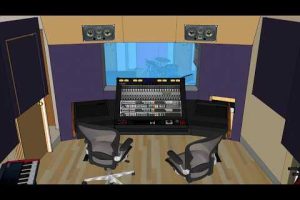
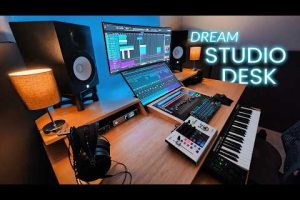
Building a home recording studio is one of the most exciting journeys a musician, podcaster, or audio engineer can embark on. But here is the truth that many beginners overlook: your computer is the backbone of the entire setup. Whether you are tracking vocals, layering virtual instruments, or mixing a full multitrack session, the machine you choose directly impacts your workflow, latency, and final output quality. In this guide, we will break down everything you need to know about selecting the right computer for home recording studio use, from essential hardware specs to practical recommendations for every budget and skill level.
Why Your Computer Is the Heart of a Home Recording Studio
When most people think about setting up a recording space, they focus on microphones, monitors, and acoustic treatment. While those elements are critical, the computer you use is arguably the single most important piece of equipment. It handles audio interface drivers, plugin processing, track counting, and real-time mixing — all simultaneously. A sluggish machine will cause audio dropouts, high buffer latency, and frustrating crashes right in the middle of a creative session.
The right PC for recording studio work balances processing power, memory capacity, and storage speed in a way that keeps your DAW running smoothly. Whether you are a solo beatmaker working with a handful of tracks or a professional mixing engineer handling a 64-track orchestral arrangement, your computer needs to keep pace with your creativity.
Key Hardware Components That Matter Most
Not every computer specification carries equal weight when it comes to audio production. Some components directly affect your recording quality, while others are more about general convenience. Here is a breakdown of the hardware elements you should prioritize.
Processor (CPU)
The CPU is the brain of your home studio computer. It handles every plugin instance, every virtual instrument, and every audio process running in real time. When choosing a processor for music production, look for high single-thread performance, which affects how quickly your DAW responds during live recording. For more demanding projects with heavy plugin loads, multi-core performance becomes equally important.
- Intel Core i5 (12th gen or newer) — excellent for beginners and intermediate producers
- Intel Core i7 / i9 — ideal for advanced users running large sessions with numerous plugins
- AMD Ryzen 5 / Ryzen 7 — strong multi-threaded performance at competitive prices
- AMD Ryzen 9 / Threadripper — top-tier choices for professional-grade studio work
RAM (Memory)
Random Access Memory determines how many tracks, plugins, and virtual instruments you can load simultaneously without performance degradation. For a basic home studio setup, 16 GB of RAM is the sweet spot that covers most producers comfortably. If you regularly work with large sample libraries or complex orchestral templates, upgrading to 32 GB or 64 GB will eliminate bottlenecks and keep your system responsive.
Storage: SSD vs HDD
This is one of the most impactful upgrades you can make for a music production computer. A Solid State Drive (SSD) loads projects faster, reduces audio dropouts during playback, and drastically cuts boot and application launch times. Traditional Hard Disk Drives (HDDs) are still useful for long-term project archiving and storing large sample libraries, but they should never be your primary drive for active work.
- NVMe SSD (500 GB – 1 TB) for your operating system, DAW, and active projects
- SATA SSD or HDD (2 TB+) for sample libraries, backups, and archived sessions
Audio Interface Compatibility
Your computer needs to communicate seamlessly with your audio interface. USB 3.0, USB-C, and Thunderbolt connections are the most common and reliable options. Thunderbolt offers the lowest latency and highest bandwidth, making it the preferred choice for professional studio setups. Before purchasing any machine, confirm that your chosen audio interface is fully supported on your selected platform.
Desktop vs Laptop for Home Recording Studio Use

One of the first decisions aspiring producers face is whether to invest in a desktop computer or a laptop. Both options have distinct advantages depending on your workflow and lifestyle.
Desktop computers offer superior performance per dollar. They are easier to upgrade, dissipate heat more effectively, and can be equipped with larger storage drives and more RAM. If your studio is a permanent setup in a dedicated room, a desktop tower or all-in-one workstation will give you the most power for the least money.
Laptops for music production shine when portability matters. Podcast recorders, traveling musicians, and producers who collaborate in different spaces benefit enormously from a powerful, compact machine. Modern high-performance laptops can rival desktop setups, though they often come at a premium price. Look for models with active cooling systems and Thunderbolt 4 connectivity to ensure stable audio performance on the go.
Best Computers for Home Recording Studio — Comparison Table

| Computer | Type | Processor | RAM | Best For |
| Apple Mac Mini M2 | Desktop | Apple M2 Chip | 16 GB | Budget-conscious producers |
| Apple MacBook Pro 16″ | Laptop | M2 Pro / M2 Max | 16–32 GB | Mobile professionals |
| Dell XPS 8950 | Desktop | Intel i7-13700 | 16–32 GB | Windows power users |
| Lenovo ThinkPad P1 Gen 6 | Laptop | Intel i7-13800H | 32 GB | On-the-go engineers |
| Custom Build (Ryzen 9 + RTX) | Desktop | AMD Ryzen 9 7950X | 64 GB | Advanced mixers & producers |
Mac vs Windows for Music Production
The Mac vs Windows debate has persisted in the music production community for decades. Both platforms are fully capable of handling professional audio work, but each has its own ecosystem strengths.
Mac computers are widely favored for their stability, low-latency audio performance, and seamless integration with industry-standard plugins and software like Logic Pro. The Apple Silicon M-series chips deliver exceptional performance-per-watt, meaning powerful processing without the heat and noise issues that plague some Windows laptops.
Windows computers offer broader hardware choice, greater upgradability, and often a lower price point for equivalent performance. The Windows ecosystem supports an enormous range of audio plugins, virtual instruments, and DAWs including Ableton Live, FL Studio, Cubase, and Studio One. With proper driver management and a well-configured system, a Windows PC for recording studio work can deliver performance that matches or exceeds equivalent Mac machines.
Expert Tips for Optimizing Your Studio Computer
Owning a powerful machine is only half the battle. Proper optimization ensures you get the most out of your home studio setup.
- Disable unnecessary startup programs to free up CPU and memory resources before launching your DAW.
- Use an SSD as your primary drive and keep sample libraries on a separate drive to reduce read/write conflicts.
- Update your audio drivers regularly — ASIO on Windows and Core Audio on macOS are critical for low-latency monitoring.
- Set your buffer size appropriately — lower buffer for recording (128–256 samples), higher buffer for mixing (512–1024 samples).
- Keep your operating system and DAW up to date to benefit from performance patches and bug fixes.
- Use a dedicated power strip with surge protection to shield sensitive audio hardware from electrical noise.
How to Choose the Right Computer for Your Studio Needs
Selecting the best computer for a home recording studio depends on three core factors: your budget, the complexity of your projects, and your workflow preferences. A beginner just starting with a simple vocal recording setup has very different needs from an advanced producer running dozens of virtual instruments and real-time effects chains.
For beginners, a machine with an Intel i5 or AMD Ryzen 5 processor, 16 GB of RAM, and a 512 GB NVMe SSD will handle most entry-level projects with ease. Focus on investing in a quality audio interface and monitoring setup before upgrading your CPU.
For intermediate producers, stepping up to 32 GB of RAM, a faster multi-core processor, and a dedicated GPU for certain plugin workloads will open the door to more complex arrangements and larger sample libraries.
For advanced users and professionals, consider custom-built workstations or high-end laptops with workstation-class processors, ECC-compatible RAM configurations, and multiple high-speed storage drives. These systems are designed to handle the most demanding sessions without compromise.
Conclusion
The computer you choose for your home recording studio will shape every aspect of your creative process — from initial tracking to final mastering. By understanding which hardware components matter most, how your workflow influences your choices, and what optimization strategies will squeeze the most performance from your machine, you can invest with confidence. Whether you pick a sleek Apple laptop or a powerful custom-built Windows tower, the best studio computer is the one that disappears into the background and lets your music take center stage.
Frequently Asked Questions
What is the minimum RAM needed for a home recording studio computer?
16 GB of RAM is the recommended minimum for a modern home recording studio setup. This amount comfortably handles most DAW workloads, including moderate plugin usage and multitrack recording sessions. If you frequently work with large orchestral templates or extensive virtual instrument libraries, consider upgrading to 32 GB or more to avoid performance bottlenecks and audio dropouts during critical recording moments.
Is a Mac or Windows better for music production in a home studio?
Both platforms are fully capable of professional audio production. Mac computers are often praised for their stability and seamless Core Audio integration, while Windows machines offer greater hardware flexibility, upgradeability, and a wider range of compatible audio plugins and DAWs. Your choice should depend on your preferred DAW, budget, and whether you value portability or raw upgrade potential more.
Can you use a gaming laptop for music production and recording?
Yes, many gaming laptops make excellent studio machines because they feature powerful processors, ample RAM, and fast NVMe storage — all essential for audio production. However, be mindful of cooling solutions, fan noise during recording sessions, and potential electrical interference from high-performance components. Choose a model with a robust build quality and Thunderbolt or USB-C connectivity for audio interface compatibility.
Do I need a dedicated GPU for a home recording studio computer?
Most music production tasks do not require a dedicated graphics card. CPU and integrated GPU resources handle audio processing, plugin rendering, and DAW workflows efficiently. However, if you plan to run visual-heavy plugins, video scoring software, or GPU-accelerated virtual instruments, a dedicated NVIDIA or AMD GPU will provide noticeable performance benefits and smoother workflow experiences.
What storage setup is best for a recording studio PC?
The ideal configuration uses an NVMe SSD as your primary drive for your operating system, DAW, and active project files. This ensures fast loading times, reduced latency, and smooth track playback. Supplement this with a secondary SATA SSD or HDD for storing sample libraries, sound packs, and archived projects. Keeping active work separate from storage archives dramatically improves system responsiveness during recording and mixing sessions.