


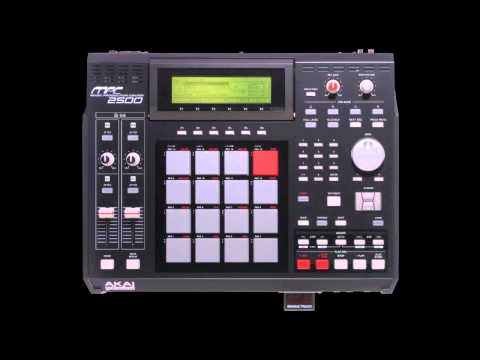
There was a time when producing music required a fully equipped studio, expensive hardware, and years of training. Today, anyone with an internet connection can dive into the world of music production and start creating professional-sounding tracks from their bedroom, their commute, or literally anywhere in the world. The rise of the beat maker online has completely transformed the landscape of music creation, giving aspiring producers, hobbyists, and seasoned artists access to powerful tools that were once reserved for those with deep pockets and dedicated studio space. Whether you are a beginner curious about how beats are built or an experienced producer looking for a cloud-based workflow, understanding the best online beat making platforms, techniques, and strategies can take your creativity to the next level.
What Is an Online Beat Maker?
An online beat maker is a web-based application or platform that allows users to compose, arrange, and produce musical beats directly inside a browser — no downloads, no installations, and no expensive equipment required. These platforms typically combine virtual drum machines, synthesizers, sample libraries, sequencers, and mixing tools into a single, accessible interface. Think of it as a digital audio workstation (DAW) that lives in the cloud, ready the moment you open your browser.
How Do Online Beat Makers Work?
Under the hood, online beat makers use JavaScript, Web Audio API, or cloud-based servers to process audio in real time. You interact with a visual interface that often includes pads, sliders, and waveform editors. You can layer drum sounds, add melodic elements using virtual keyboards or MIDI controllers, apply effects like reverb and delay, and export your finished beat as a high-quality audio file. Some platforms even support collaboration, letting multiple producers work on the same project simultaneously from different locations.
Best Online Beat Makers to Try in 2024
The market is flooded with options, and choosing the right platform depends on your skill level, budget, and creative goals. Here are some of the most respected online beat making tools currently available, each offering a unique approach to producing music in the browser.
| Platform | Best For | Free Option? | Key Strength |
| Soundtrap | Collaborative production | Yes (limited) | Real-time multi-user collaboration |
| BandLab | All-in-one mobile & desktop | Yes (fully free) | Massive community and social features |
| Soundation | Professional-grade production | Yes (limited) | Studio-quality effects and loops |
| Chrome Music Lab | Learning & experimentation | Yes (fully free) | Ultra-simple, intuitive interface |
| Audiotool | Electronic & hip-hop production | Yes (limited) | Deep workflow with device chaining |
| LMMS Online | Full DAW experience in browser | Yes (open source) | Familiar desktop DAW interface |
Each of these platforms serves a slightly different audience. BandLab is excellent if you want a free, all-inclusive environment with a built-in community of creators. Soundtrap shines when collaboration matters, making it ideal for remote production teams. Audiotool gives electronic music producers a deep, modular workflow that mirrors the complexity of professional hardware setups. And Soundation is often praised for its polished, professional-grade effects chain that rivals many desktop DAWs.
Key Features to Look For in an Online Beat Maker
Not all browser-based production tools are created equal. Before you commit to a platform, evaluate it based on these critical features that separate a quality online beat maker from a toy.
- Sample Library Quality — A rich library of high-quality drum samples, melodic loops, and one-shot hits gives you creative flexibility without needing to source external sounds.
- MIDI Support — The ability to connect a MIDI keyboard or controller directly through your browser dramatically improves workflow and precision.
- Effects and Mixing Tools — Look for built-in EQ, compression, reverb, delay, and distortion. These are essential for giving your beats a polished, professional finish.
- Export Options — Can you export in WAV or MP3 format? What about stem separation? Export flexibility determines whether you can take your beat into a full DAW later.
- Collaboration Features — If you work with other producers, real-time collaboration, project sharing, and version history are game-changers.
- Browser Compatibility — A good online beat maker should run smoothly on Chrome, Firefox, Safari, and Edge without glitches or latency issues.
How to Make Your First Beat Online (Step-by-Step)
If you are brand new to music production, the process of making your first beat online is simpler than you might think. Follow this step-by-step guide to go from zero to a finished track in one sitting.
Step 1: Choose Your Platform
Sign up for one of the free platforms mentioned above. BandLab and Chrome Music Lab are the best starting points for absolute beginners because they require no prior knowledge and offer guided tutorials.
Step 2: Set Your Tempo and Key
Before you touch a single pad, decide on the tempo (BPM) and musical key of your beat. A hip-hop boom-bap track typically sits between 85 and 100 BPM, while trap beats often range from 130 to 170 BPM. Setting the key early ensures all your melodic elements will sound cohesive.
Step 3: Build Your Drum Pattern
Start with a kick drum on beats 1 and 3, add a snare or clap on beats 2 and 4, and layer hi-hats with some syncopation for groove. Experiment with swing and velocity to make the pattern feel human rather than robotic.
Step 4: Add a Bassline or Melody
Use the virtual keyboard or a pre-made loop from the platform’s library. Keep it simple — a catchy two-bar melodic phrase repeated with slight variations is often more effective than a complex, cluttered arrangement.

Step 5: Layer and Arrange

Add pads, risers, vocal chops, or additional percussion to fill out the arrangement. Structure your beat with an intro, verse, chorus, and outro sections to give it a professional flow.
Step 6: Mix and Export
Adjust volume levels, apply EQ to clean up muddy frequencies, add light compression, and export your final beat. Listen on different devices — headphones, phone speakers, car stereo — to make sure it translates well everywhere.
Free vs Paid Online Beat Makers: What’s the Real Difference?
One of the most common questions among new producers is whether free tools are good enough or if investing in a paid plan is necessary. The honest answer is that both have their place.
| Aspect | Free Plans | Paid Plans |
| Sample Library | Limited, often royalty-free but smaller | Access to premium, exclusive samples |
| Collaboration | Basic sharing only | Real-time collaboration, project invites |
| Export Quality | Often limited to MP3 or lower bitrate | Full WAV export with no watermarks |
| Storage | Minimal cloud storage | Expanded storage for projects and samples |
| Effects & Plugins | Basic effects only | Advanced plugins, virtual instruments |
| Price | $0/month | $5–$30/month depending on platform |
For someone just getting started, a free plan is more than sufficient. You can learn the fundamentals of rhythm, arrangement, and mixing without spending a dime. Once you begin publishing beats, collaborating with other artists, or pursuing music professionally, upgrading to a paid tier becomes a worthwhile investment.
Tips from Pros: Elevate Your Online Beat Making Game
Experienced producers who use online beat makers daily share a few habits that separate amateur tracks from polished, professional productions.
- Learn music theory basics — Understanding scales, chords, and rhythm patterns gives you a massive creative advantage, even if you are working entirely by ear.
- Save templates — Most online platforms let you save project templates. Create a go-to drum kit template and a bassline template so you can start producing immediately without rebuilding from scratch every time.
- Use reference tracks — Import a professionally produced beat you admire and analyze its arrangement, frequency balance, and layering techniques. This is one of the fastest ways to improve your ear.
- Limit your choices — It is tempting to load every sound available, but restraint leads to cleaner, more focused productions. Choose a few high-quality sounds and make them work hard.
- Take breaks — Ear fatigue is real and dangerous for producers. Work in focused 45-minute sessions with breaks in between to keep your ears sharp and your decisions objective.
Another often-overlooked tip is to engage with the community on your chosen platform. Leaving thoughtful comments on other producers’ beats, joining production challenges, and sharing your work publicly creates accountability and exposes you to new ideas, techniques, and feedback that can accelerate your growth dramatically.

Frequently Asked Questions (FAQ)
Can I make professional-quality beats using an online beat maker?
Absolutely. Many professional producers have released tracks made entirely or partially using online platforms like Soundtrap and BandLab. The key is learning mixing techniques, using high-quality samples, and understanding arrangement — skills that transfer directly from any DAW environment.
Do I need a MIDI keyboard to make beats online?
No. While a MIDI keyboard can speed up your workflow and improve precision, most online beat makers include virtual pianos, drum pads, and mouse-based sequencing tools that work perfectly with just your computer keyboard and mouse.
Are beats made in free online beat makers royalty-free?
This depends entirely on the platform. Most free online beat makers provide royalty-free samples and allow you to monetize your own original beats. However, always read the platform’s terms of service and licensing agreement to confirm your rights, especially if you plan to distribute commercially.
What is the best online beat maker for hip-hop production?
Audiotool and Soundation are widely regarded as the best online beat makers for hip-hop production. They offer deep drum programming, extensive sample libraries with boom-bap and trap sounds, and mixing workflows tailored to urban music production styles.
Can I collaborate with other producers in an online beat maker?
Yes. Platforms like Soundtrap and BandLab offer real-time collaboration features that let multiple producers work on the same project simultaneously. You can share sessions, leave comments, and build tracks together regardless of your physical location.
Is it better to use an online beat maker or download a desktop DAW?
Both have strengths. Online beat makers offer instant accessibility, zero installation, and seamless collaboration. Desktop DAWs like FL Studio or Ableton Live provide deeper processing power, more advanced plugin support, and offline reliability. Many producers use both — creating initial ideas online and finishing tracks in a desktop environment.
Conclusion
The beat maker online ecosystem has democratized music production in a way that was unimaginable just a decade ago. Whether you are making your first beat as a hobbyist, collaborating with artists across the globe, or building a professional catalog of instrumentals, the right online platform can serve as the foundation of your entire creative workflow. The tools are powerful, the learning resources are abundant, and the barrier to entry has never been lower. Start with a free platform, experiment boldly, learn from every track you finish, and watch as your skills — and your sound — evolve into something truly original and uniquely yours.