


Beat making software has completely transformed how musicians, producers, and hobbyists create music from the ground up. Whether you are just starting out or you are a seasoned producer looking to streamline your workflow, the right digital audio workstation or beat making program can make all the difference between a frustrating experience and a creative breakthrough. In today’s landscape, there are dozens of options available, each catering to different skill levels, genres, and budgets. This guide dives deep into the world of beat creation tools, breaking down the best software on the market, what features matter most, and how to choose the perfect platform for your music production journey.
What Is Beat Making Software and Why Does It Matter?
At its core, beat making software refers to digital applications designed specifically for creating, arranging, and mixing musical beats. These programs provide virtual instruments, audio loops, drum machines, synthesizers, and effects processing—all within a single intuitive interface. Unlike traditional hardware setups that require expensive studio equipment, beat making tools let you produce professional-quality tracks using nothing more than a laptop or desktop computer.
For beginner producers, these platforms lower the barrier to entry dramatically. You no longer need expensive studio sessions or physical instruments to craft compelling beats. Intermediate and advanced producers benefit from deep mixing capabilities, plugin support, and advanced sequencing features that rival dedicated recording studios. The evolution of beat making software has democratized music production, making it accessible to anyone with a creative vision and a computer.
Top Beat Making Software for Beginners
If you are just getting started with music production, choosing user-friendly software is essential. The best beginner-friendly platforms offer drag-and-drop interfaces, pre-built loops, and helpful tutorials that ease you into the workflow without overwhelming you.
FL Studio
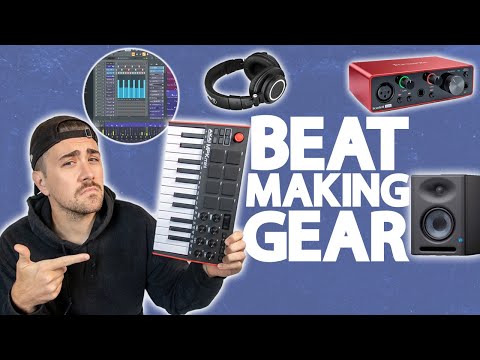
FL Studio remains one of the most popular beat making programs for newcomers and professionals alike. Its step sequencer and piano roll make pattern-based beat creation incredibly intuitive. The lifetime free updates policy means you purchase once and get every future version at no extra cost.
GarageBand
Apple’s GarageBand is completely free and comes pre-installed on Macs and iOS devices. It offers a surprisingly powerful set of virtual instruments, smart drums, and built-in loops that make it the ideal starting point for aspiring beat makers who want to experiment without any financial commitment.
BandLab
BandLab is a cloud-based beat making tool that runs entirely in your browser. It is free, collaboration-friendly, and offers a social platform where producers can share tracks and get feedback. It is an excellent choice for beginners who want to explore beat creation without installing anything.
Best Beat Making Programs for Intermediate Producers
Once you have mastered the basics, you need software that offers deeper control, better workflow efficiency, and more advanced sound design capabilities.
Ableton Live
Ableton Live is widely regarded as the gold standard for electronic music production and live performance. Its unique session view allows producers to jam and experiment in real time, while the arrangement view provides a traditional timeline for finalizing tracks. The built-in audio effects, instruments, and warping engine make it incredibly versatile for beat making across genres.
Logic Pro

Logic Pro offers an exceptional value proposition at a one-time price of $199. It includes a massive library of virtual instruments, samples, and loops, along with professional-grade mixing and mastering tools. For producers working on Mac systems, Logic Pro provides a comprehensive beat making environment that scales beautifully from simple loops to full productions.
Studio One
PreSonus Studio One has gained a loyal following among beat makers who want a clean, modern workflow without the learning curve of more complex DAWs. Its drag-and-drop functionality, excellent mastering suite, and intuitive project page make it a compelling choice for producers transitioning from beginner to intermediate level.
Advanced Beat Making Software for Professional Workflows
Professional producers demand software that handles complex arrangements, extensive plugin ecosystems, and high-resolution audio processing without compromise.
Cubase
Steinberg Cubase has been a pillar of professional music production for decades. Its advanced MIDI editing, chord pads, and scoring capabilities make it a powerhouse for beat makers who need precise control over every element of their production. The integrated audio engine and comprehensive mixing console rival any hardware setup.
Pro Tools
Avid Pro Tools remains the industry standard in commercial recording studios worldwide. While it has a steeper learning curve, its unmatched audio editing precision, collaborative features, and plugin compatibility make it indispensable for producers working in professional environments where accuracy and reliability are non-negotiable.
Bitwig Studio
Bitwig Studio pushes the boundaries of beat making with its modular sound design environment and advanced modulation system. It is ideal for producers who want to craft entirely original sounds and experiment with generative music techniques. The grid-based modular interface sets it apart from every other DAW on the market.
Key Features to Look for in Beat Making Software
Not all beat creation platforms are created equal. Before committing to a purchase, consider these critical features that will impact your production experience:
- Audio and MIDI editing capabilities: Look for software that offers robust piano roll editing, step sequencing, and audio waveform manipulation.
- Built-in virtual instruments and samples: A comprehensive library of drum kits, synthesizers, and loops saves you time and money on third-party purchases.
- Plugin support (VST/AU/AAX): Ensure the software supports third-party plugins so you can expand your sound palette indefinitely.
- Workflow and interface design: A clean, intuitive layout reduces friction and keeps you focused on creativity rather than navigating menus.
- Export and sharing options: Multiple export formats, batch rendering, and cloud integration streamline your finishing process.
- System compatibility: Verify that the software runs smoothly on your operating system and hardware configuration.
Comparison Table: Popular Beat Making Software

| Software | Price | Best For | Platform | Plugin Support |
| FL Studio | $99 – $499 | Pattern-based beat making | Windows, Mac | VST, VST3 |
| Ableton Live | $99 – $749 | Electronic music, live performance | Windows, Mac | VST, AU |
| GarageBand | Free | Beginner beat making | Mac, iOS | Limited AU |
| Logic Pro | $199 | All-around production | Mac | AU, VST3 |
| Cubase | $329 – $579 | Professional scoring and production | Windows, Mac | VST, VST3 |
| Pro Tools | $299 – $799 | Studio-grade recording and mixing | Windows, Mac | AAX, VST, AU |
Expert Tips for Choosing the Right Beat Making Software
Selecting the perfect beat making tool can feel overwhelming given the sheer number of options available. Here are practical recommendations to help you make a confident decision:
- Start with a free trial or free software: Most professional DAWs offer demo versions. Test them before spending money to ensure the workflow resonates with your creative process.
- Consider your genre: Trap and hip-hop producers often prefer FL Studio for its step sequencer, while electronic music producers gravitate toward Ableton Live for its session view and real-time performance capabilities.
- Think about long-term growth: Choose software that will grow with you. A platform like FL Studio or Logic Pro offers the depth and flexibility to evolve from a beginner project into a professional-grade production studio.
- Watch tutorials before buying: YouTube and official documentation provide hundreds of hours of workflow videos. Watching experienced producers use the software gives you a realistic sense of whether it fits your style.
- Check community and support: Software with active forums, tutorial ecosystems, and regular updates ensures you will have help when you encounter challenges.
- Factor in hardware: Consider whether you need mobile compatibility, MIDI controller support, or cloud-based access when making your decision.
Conclusion
The world of beat making software has never been more accessible or more powerful. From free options like GarageBand and BandLab that welcome complete beginners, to professional platforms like Pro Tools and Cubase that power billion-dollar studios, there is a beat making tool perfectly suited for every producer at every level. The key is to identify your current needs, envision where you want to grow, and choose software that aligns with both. Invest time in learning your chosen platform deeply, experiment with its features relentlessly, and remember that the best beat making software is the one that disappears into your creative process so you can focus entirely on making music that moves people.
Frequently Asked Questions
1. What is the best free beat making software for beginners?
GarageBand and BandLab are widely considered the best free beat making tools for beginners. GarageBand offers a polished, feature-rich experience on Apple devices, while BandLab provides a browser-based solution that works on any computer. Both platforms include built-in loops, virtual instruments, and mixing tools that are more than sufficient for learning the fundamentals of beat creation.
2. Can I make professional beats with beginner-level beat making software?
Absolutely. Software like FL Studio and GarageBand have been used to produce chart-topping hits and award-winning tracks. The quality of your beats depends far more on your creativity, sound selection, and mixing skills than on the price tag of your software. Many professional producers started with beginner-friendly platforms and continued using them throughout their careers.
3. What is the difference between a DAW and beat making software?
The terms are often used interchangeably, but there is a subtle distinction. A digital audio workstation (DAW) is a comprehensive music production environment that handles recording, editing, mixing, and mastering. Beat making software typically emphasizes pattern-based composition, loop arrangement, and drum programming, though modern beat making platforms like FL Studio and Ableton Live function as full-featured DAWs.
4. Which beat making software is best for hip-hop and trap production?
FL Studio is the most popular choice for hip-hop and trap beat making due to its intuitive step sequencer, flexible piano roll, and pattern-based workflow that mirrors the way many producers think about beat construction. However, Ableton Live and Logic Pro are also excellent options, especially for producers who incorporate live instruments or complex arrangement techniques into their beats.
5. Do I need an expensive computer to run professional beat making software?
Not necessarily. Most modern beat making programs run well on mid-range computers with at least 8GB of RAM, a multi-core processor, and a solid-state drive. The real bottleneck is usually the number of virtual instruments and effects plugins you run simultaneously. Starting with a basic system and upgrading as your production demands grow is a perfectly viable approach for most producers.