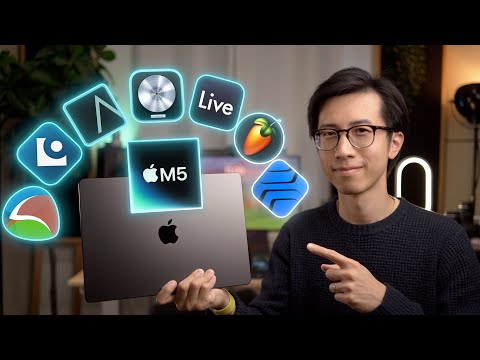
Choosing the best laptop for music production is one of the most consequential decisions you will make as a producer, beatmaker, or audio engineer. Your laptop serves as the backbone of your entire studio setup, handling everything from running digital audio workstations (DAWs) like Ableton Live, FL Studio, and Logic Pro to managing VST plugins, virtual instruments, and real-time audio processing. A machine that struggles under load will cause audio dropouts, latency spikes, and frustrating session crashes — problems no creative wants to deal with when inspiration strikes. Whether you are a bedroom producer just getting started or a professional engineer working on commercial releases, the right laptop can mean the difference between a smooth creative flow and a constant battle with technical limitations.
In this guide, we break down exactly what specifications matter most for music production workflows, review top laptop picks across every budget and skill level, and share expert recommendations that go far beyond generic spec sheets. You will find detailed comparisons, practical buying advice, and answers to the most common questions producers ask before making their purchase.
What Makes a Laptop Good for Music Production?
Not all laptops are created equal when it comes to audio work. Some machines are built for gaming and sacrifice audio stability, while others prioritize portability at the cost of processing power. Understanding the core hardware requirements will help you cut through the marketing noise and find a machine that actually fits your workflow.

Processor (CPU)
The central processing unit is the single most critical component for music production. Your CPU handles audio rendering, plugin processing, and real-time mixing tasks. When running a heavy project with dozens of tracks, multiple VST instruments, and effects chains, a powerful processor ensures your session stays responsive without crackling or latency issues.
- Minimum: Intel Core i5 (11th generation or newer) or AMD Ryzen 5 (5000 series or newer)
- Recommended: Intel Core i7 (12th or 13th gen) or AMD Ryzen 7 (6000 series or newer)
- Professional: Intel Core i9 or AMD Ryzen 9 for users running massive orchestral templates or complex mix sessions
Multi-core performance matters enormously here. Music production software increasingly leverages multiple threads, so a laptop with six cores or more will handle dense projects far better than a quad-core machine. If you plan to use resource-intensive plugins like Kontakt libraries or complex synth engines, prioritize core count and single-threaded clock speed together.
RAM (Memory)
Random access memory determines how many tracks, plugins, and virtual instruments you can load simultaneously before your system starts swapping to disk — a situation that causes unbearable latency and audio glitches.
- 8GB RAM: Suitable for basic beat-making and simple projects with minimal plugin usage. This is a starting point for beginners on a tight budget.
- 16GB RAM: The sweet spot for most intermediate producers. Handles medium-sized projects comfortably and supports a healthy library of virtual instruments.
- 32GB RAM or more: Essential for professional producers working with orchestral templates, large sample libraries, and complex multi-track sessions.
Always choose a laptop that allows RAM upgrades if possible. Starting with 16GB gives you room to grow without replacing the entire machine later.
Storage
Solid-state drives (SSDs) are non-negotiable for music production. Traditional hard disk drives (HDDs) introduce bottlenecks that directly impact project loading times, sample streaming, and overall system responsiveness. Aim for at least a 512GB NVMe SSD, though 1TB or more is preferable if you work with large sample libraries.
Audio Interface Compatibility and Connectivity
Your laptop needs robust audio connectivity. USB-C and Thunderbolt ports are ideal for connecting external audio interfaces like Focusrite Scarlett or Universal Audio Apollo. Look for machines with multiple USB ports and reliable Bluetooth support if you use wireless peripherals. A dedicated audio chip or high-quality onboard audio can also reduce noise floor issues during recording.
Best Laptops for Music Production by Category

Best for Beginners
If you are just starting out and want a machine that can handle entry-level DAWs and light production work without breaking the bank, the Acer Aspire 5 is an excellent choice. It typically comes with an Intel Core i5 processor, 8GB of RAM, and a 512GB SSD, providing a solid foundation for learning music production. The 15.6-inch Full HD display gives you enough screen real estate to manage your DAW timeline comfortably. Another strong contender is the ASUS VivoBook 15, which offers similar specs at a competitive price point and includes a dedicated number pad that is handy for MIDI keyboard workflows.
Best for Intermediate Producers
Moving up to intermediate production demands a machine that can handle heavier plugin loads and larger session sizes. The Apple MacBook Air M2 has become a standout in this category thanks to its exceptional power efficiency, silent fanless design, and outstanding single-core performance. Logic Pro X runs beautifully on macOS, and the M2 chip handles complex projects with ease. For Windows users, the Dell XPS 15 offers a stunning 4K display, Intel Core i7 performance, and 16GB of RAM in a sleek chassis that travels well.
Best for Advanced and Professional Producers
Professional producers working on commercial releases need machines that never compromise. The MacBook Pro 16-inch with M2 Pro or M2 Max is widely regarded as the gold standard for music production laptops. Its massive processing power handles hundreds of tracks and CPU-intensive plugins like Ozone and FabFilter with room to spare. The 16GB unified memory configuration supports enormous sample libraries, and the liquid retina display makes detailed mixing sessions a pleasure. For Windows professionals, the Lenovo ThinkPad P1 Gen 6 offers workstation-grade Intel or AMD processors, up to 64GB of ECC RAM, and Thunderbolt 4 connectivity for pro audio interfaces.
Comparison Table: Top Picks at a Glance
| Laptop Model | Processor | RAM | Storage | Best For |
| Acer Aspire 5 | Intel Core i5 | 8GB | 512GB SSD | Beginners on a budget |
| ASUS VivoBook 15 | Intel Core i5 | 8GB | 512GB SSD | Budget-friendly starter |
| Apple MacBook Air M2 | Apple M2 | 16GB | 512GB SSD | Intermediate producers |
| Dell XPS 15 | Intel Core i7 | 16GB | 512GB SSD | Windows intermediate |
| MacBook Pro 16-inch M2 Pro | Apple M2 Pro | 16-32GB | 512GB-1TB SSD | Professional producers |
| Lenovo ThinkPad P1 Gen 6 | Intel Core i9 | Up to 64GB | 1TB SSD | Enterprise-level production |
Expert Tips for Optimizing Your Laptop for Music Production
Buying the right laptop is only half the battle. How you configure and maintain it directly impacts your production experience. Here are practical recommendations that seasoned producers swear by.

- Disable background processes: Close unnecessary applications and disable startup programs before recording or mixing. Every background process competes for CPU and RAM resources.
- Use an external SSD for sample libraries: Offloading large Kontakt and Spitfire libraries to a dedicated external drive frees up internal storage and keeps your system responsive.
- Set your buffer size correctly: A buffer size of 128–256 samples during recording keeps latency low, while 512–1024 samples during mixing gives your CPU more breathing room.
- Keep your OS and DAW updated: Software updates frequently include audio driver improvements and stability patches that prevent crashes during critical sessions.
- Invest in a quality cooling pad: Sustained CPU usage during heavy projects can cause thermal throttling. A good cooling pad maintains consistent performance over long sessions.
- Use a dedicated DAW computer if possible: Keeping your production machine separate from your internet-browsing machine eliminates noise, distractions, and background interference.
Mac vs Windows for Music Production
The Mac versus Windows debate remains one of the most discussed topics in music production circles. macOS has long enjoyed a reputation for stability in audio work, with many producers favoring the tight integration between Logic Pro and Apple hardware. The M-series chips have elevated MacBooks to new levels of performance and efficiency, making them particularly appealing for producers who value silence and battery life.
Windows laptops, on the other hand, offer greater hardware variety, more upgradability options, and often better value for the dollar. Modern Windows machines with Intel 13th or 14th generation processors and dedicated NVMe storage can absolutely match or exceed Mac performance for music production. The choice ultimately comes down to your preferred DAW, your budget, and your personal workflow preferences. Logic Pro X is macOS exclusive, while FL Studio, Ableton Live, and Cubase run powerfully on both platforms.
Frequently Asked Questions
What is the minimum laptop specification needed to start music production?
The bare minimum setup for basic music production includes an Intel Core i5 or AMD Ryzen 5 processor, 8GB of RAM, and a 256GB SSD. This configuration will handle simple beat-making and small projects in DAWs like GarageBand or FL Studio. However, you will quickly outgrow 8GB of RAM if you start layering multiple virtual instruments and effects. We strongly recommend targeting 16GB of RAM as your starting point if your budget allows, as it provides a much more sustainable workflow for growing your production skills.
Is a gaming laptop good for music production?
Gaming laptops can be surprisingly capable music production machines because they are built with high-performance processors, generous RAM, and fast SSDs. However, they tend to be bulky, have short battery life, and often feature aggressive fan noise that can interfere with recording. If you choose a gaming laptop for music production, look for models with quiet cooling solutions and consider using an external audio interface to bypass the onboard sound card. Brands like ASUS ROG and Lenovo Legion offer productivity-oriented models that balance gaming performance with a quieter, more professional design.
How much storage do I need for a music production laptop?
Storage needs depend entirely on your working style and sample library size. A producer who works primarily with software synthesizers and loops will need less storage than someone managing dozens of gigabyte-sized Kontakt libraries. A minimum of 512GB NVMe SSD is recommended, with 1TB being the ideal target for most intermediate producers. For professionals with extensive sample libraries, pairing a 1TB internal SSD with a 2TB or larger external SSD provides the best balance of speed and capacity.
Can I use a budget laptop under $700 for music production?
Yes, budget laptops under $700 can absolutely serve as entry-level music production machines. The Acer Aspire 5 and ASUS VivoBook series frequently appear in this price range with capable processors and SSD storage. The key is to prioritize RAM and SSD speed over other features. A budget machine with 16GB of RAM and a 512GB NVMe SSD will outperform a more expensive laptop with 8GB of RAM and a traditional hard drive. Manage your expectations regarding simultaneous plugin loads and plan your projects accordingly.
Do I need a dedicated GPU for music production?
No, a dedicated graphics card is not necessary for music production. Audio processing relies primarily on CPU and RAM performance, not GPU power. Integrated graphics found in most modern processors are more than sufficient for running DAWs, managing plugin interfaces, and editing audio waveforms. You only need a dedicated GPU if you are also doing video editing, 3D rendering, or running visually demanding plugin interfaces alongside your audio work.
Final Thoughts
Finding the best laptop for music production comes down to matching your specific workflow, budget, and ambition to the right hardware. Beginners should focus on getting a reliable machine with at least 8GB of RAM and an SSD, then upgrade as their skills and project complexity grow. Intermediate producers will benefit most from 16GB of RAM, a modern multi-core processor, and a display that gives them comfortable screen space for mixing. Professionals need the headroom that higher-end configurations provide — 32GB RAM, powerful multi-core CPUs, and fast storage that keeps up with massive sample libraries and dense session files.
Invest in the machine that removes technical friction from your creative process. The best laptop for music production is not the most expensive one — it is the one that lets you stay in the flow, capture ideas instantly, and mix without interruptions. Use the recommendations and comparisons in this guide to make a confident, informed decision that serves your music for years to come.