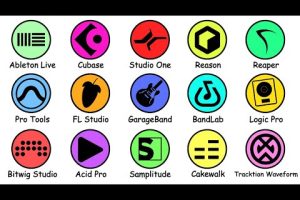
Choosing the right computer for music production is one of the most important decisions you will make as a producer, beatmaker, or audio engineer. Whether you are setting up your first home studio or upgrading a professional rig, the machine you use directly impacts latency, track count, plugin performance, and overall workflow efficiency. A slow or underpowered system can turn a creative session into a frustrating experience filled with buffer overruns, crackling audio, and system freezes. On the other hand, a well-configured workstation gives you the freedom to layer dozens of virtual instruments, run heavy effects chains, and mix down polished tracks without breaking a sweat. This guide covers everything you need to know about selecting, configuring, and optimizing a computer for music production, from budget-friendly starter setups to high-end professional configurations.
What to Look for in a Computer for Music Production
Not all computers are created equal when it comes to handling digital audio workloads. The components that matter most include your processor, RAM, storage, and audio interface compatibility. Understanding how each of these affects your DAW (Digital Audio Workstation) performance will help you make informed purchasing decisions.
CPU: The Brain of Your Music Production Setup
The central processing unit handles virtually every task in a music production environment, from real-time audio rendering to plugin processing and virtual instrument playback. When evaluating a computer for music production, prioritize clock speed and multi-core performance. A higher base clock speed means faster single-threaded tasks, which many plugins and audio engines rely on heavily. Multi-core performance matters for running multiple virtual instruments simultaneously and bouncing large mixes.
For beginner producers, an Intel Core i5 or AMD Ryzen 5 processor provides a solid foundation. Intermediate users should consider an i7 or Ryzen 7, while professional studios and advanced users often gravitate toward i9 or Ryzen 9 chips. Apple Silicon chips like the M2 Pro and M2 Max have also become excellent choices because their unified architecture delivers outstanding single-threaded performance alongside massive efficiency gains.
RAM: Why Memory Matters in a DAW
Random access memory determines how many tracks, plugins, and virtual instruments you can load simultaneously before your system starts struggling. When RAM fills up, your computer starts swapping data to disk, which causes audio dropouts and increased latency. For music production, 16GB of RAM is the minimum recommended threshold for most producers. If you work with large orchestral template libraries or run heavy sample-based plugins like Kontakt, you should aim for 32GB or more.
- 8GB RAM: Suitable for basic beat-making and simple recording projects with few plugins.
- 16GB RAM: The sweet spot for intermediate producers handling full arrangements with moderate plugin loads.
- 32GB RAM: Ideal for professional producers working with large sample libraries and complex session setups.
- 64GB RAM: Reserved for advanced users working on film scoring, sound design, or massive orchestral productions.
Storage: Speed and Capacity for Audio Projects
Storage plays a dual role in music production. You need enough capacity to store your project files, sample libraries, and audio recordings, and you need speed to ensure smooth playback and minimal latency. A solid-state drive (SSD) is non-negotiable for any modern music production computer. HDDs are far too slow for real-time audio streaming and will cause buffer glitches even on powerful systems.
Consider using a two-drive setup: install your operating system, DAW, and active projects on a fast NVMe SSD, and use a secondary SSD or HDD for archiving older projects and storing large sample libraries. A minimum of 512GB NVMe storage is recommended, with 1TB or more being preferable for producers with extensive sample collections.
Audio Interface Compatibility and Drivers
Your computer must support the audio interface you plan to use. Compatibility issues often arise with driver protocols, with ASIO on Windows and Core Audio on macOS being the two dominant standards. When shopping for a computer for music production, verify that your chosen audio interface has native driver support for your operating system and hardware configuration.
USB 3.0 or Thunderbolt connections are preferred for low-latency audio transfer. Some interfaces, like those from Universal Audio, require Thunderbolt for optimal performance, so factor this into your motherboard or laptop selection.
Best Computers for Music Production by Skill Level
Different stages of production require different levels of power and portability. Here are practical recommendations tailored to beginner, intermediate, and advanced users.
Best for Beginners
New producers should focus on value and reliability. The Apple MacBook Air M2 is an excellent entry point because it offers strong single-core performance, silent operation, and impressive battery life. On the Windows side, machines like the Dell XPS 13 or Lenovo IdeaPad 5 with an AMD Ryzen 5 processor and 16GB RAM deliver excellent performance for the price. Both options handle popular DAWs like Ableton Live, FL Studio, and Logic Pro without issues.

Best for Intermediate Producers

Intermediate users who run larger projects and heavier plugin chains benefit from upgraded hardware. The MacBook Pro 14-inch with M2 Pro chip, 16GB unified memory, and a 512GB SSD provides a significant performance leap. Windows alternatives like the ASUS ZenBook Pro 15 or Microsoft Surface Laptop 5 with Intel Core i7 and 32GB RAM offer similar capabilities at competitive price points.
Best for Advanced and Professional Users
Professional producers working with film scores, dense orchestral arrangements, and dozens of simultaneous tracks need maximum power. The Mac Studio with M2 Ultra, custom workstation builds using AMD Threadripper or Intel i9 processors, and high-end gaming laptops like the ASUS ROG Zephyrus G16 represent the top tier. These machines handle unlimited track counts, massive sample libraries, and real-time DSP processing with ease.
Desktop vs Laptop for Music Production
The desktop versus laptop debate is central to choosing a computer for music production. Each form factor has distinct advantages depending on your workflow, budget, and mobility needs.
| Feature | Desktop | Laptop |
| Performance per Dollar | Higher; easier to upgrade individual components | Lower; components are often soldered |
| Portability | Stationary; not suitable for travel | Excellent; work from anywhere |
| Thermal Management | Superior; larger chassis with better cooling | Limited; thermal throttling under sustained loads |
| Upgradeability | Full; RAM, GPU, storage, and CPU can be swapped | Minimal; usually limited to RAM and storage |
| Audio Latency | Generally lower due to better cooling and sustained clock speeds | Good on modern Apple Silicon; can throttle on Windows laptops |
| Price Range | $800 to $4,000+ | $900 to $3,500+ |
| Best For | Home studios, professional mixing suites | Mobile producers, live performers, traveling engineers |
Desktop workstations offer superior thermal headroom, meaning they can sustain peak performance for hours without throttling. This is crucial during long mixing or mastering sessions. Laptops, however, have become increasingly powerful and are now a viable primary production machine for most producers. Apple Silicon laptops in particular offer desktop-class performance in a portable chassis, making them a favorite among mobile professionals.
How to Optimize Your Computer for Music Production
Even the best hardware needs proper configuration to deliver optimal audio performance. Follow these expert tips to squeeze every ounce of capability from your music production computer.
- Disable background processes: Close unnecessary applications, browser tabs, and system updates during recording or mixing sessions. Every background process competes for CPU and RAM resources.
- Adjust your buffer size: Set your audio buffer to 128 or 256 samples during recording for lowest latency, and increase it to 512 or 1024 during mixing when latency does not matter.
- Use an SSD for everything: Never run your DAW or load samples from a traditional hard drive. NVMe SSDs dramatically reduce load times and prevent audio dropouts.
- Freeze or bounce tracks: When your CPU is overwhelmed, freeze or render MIDI tracks to audio to reduce the processing load in real time.
- Keep your OS updated: Operating system updates often include audio driver improvements and performance patches that can fix latency and crackling issues.
- Use a dedicated power plan: On Windows, switch to a high-performance power plan to prevent the system from downclocking the CPU during intensive sessions.
Frequently Asked Questions
What is the best computer for beginner music production?
The Apple MacBook Air M2 and entry-level Windows laptops like the Dell Inspiron 16 with 16GB RAM and an NVMe SSD are the best choices for beginners. They offer enough processing power, memory, and storage speed to handle popular DAWs and moderate plugin loads without breaking the bank.
Do I need a dedicated GPU for music production?
No. Music production workloads are primarily CPU and RAM intensive, not GPU dependent. A dedicated graphics card is unnecessary unless you also plan to do video editing or run visually demanding plugins. Integrated graphics on modern processors are more than sufficient for audio work.
Is 16GB RAM enough for music production in 2024?
Yes, 16GB RAM remains the recommended baseline for most producers in 2024. It handles the vast majority of projects, virtual instruments, and plugins effectively. Only producers working with extremely large sample libraries or highly complex arrangements will need 32GB or more.
Can I use a gaming laptop for music production?
Absolutely. Gaming laptops are equipped with high-performance processors, ample RAM, and fast SSDs, all of which translate well to music production. The key consideration is ensuring your audio interface has compatible drivers and that you manage thermal settings to prevent throttling during long sessions.
Is Mac or Windows better for music production?
Both platforms are excellent. Macs are favored for their stability, Core Audio integration, and seamless compatibility with Logic Pro. Windows offers greater hardware flexibility, more upgrade options, and often better value for money. Your choice should depend on your DAW preference, budget, and specific workflow needs.
Final Thoughts on Choosing a Computer for Music Production
Selecting the ideal computer for music production comes down to matching your hardware to your specific creative workflow and production demands. Beginners should prioritize reliability, adequate RAM, and SSD storage without overspending on unnecessary power. Intermediate producers should balance performance with future-proofing, ensuring their system can handle growing project complexity. Advanced users and professionals should invest in maximum CPU cores, ample memory, and fast storage to maintain seamless performance under the heaviest workloads.
Regardless of your level, always prioritize a fast processor, sufficient memory, and solid-state storage above all else. Pair your computer with a quality audio interface and a well-configured DAW, and you will have a production setup that inspires creativity rather than hindering it. The best music production computer is the one that disappears into the background, letting your ideas flow uninterrupted from first note to final mix.