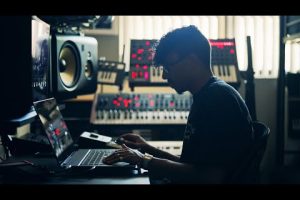
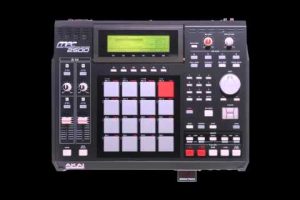
The world of music production has changed dramatically over the past decade, and if you are serious about crafting professional-quality beats, choosing the right beat making software is arguably the most important decision you will make. Whether you are a bedroom producer experimenting with your first kick drum pattern or a seasoned audio engineer managing multi-layered compositions for commercial release, the software you use shapes every aspect of your creative workflow. From drag-and-drop beat builders to full-scale digital audio workstations (DAWs) with unlimited routing possibilities, today’s market offers tools for every skill level and budget. This guide breaks down the best beat making software available right now, covering beginner-friendly platforms, intermediate powerhouses, and advanced production suites trusted by industry professionals. You will find honest comparisons, practical recommendations, and expert tips designed to help you make a confident choice.
What Is Beat Making Software and Why Does It Matter?
Beat making software, also commonly referred to as a beat maker app or music production software, is a digital tool that allows users to create, edit, arrange, and mix instrumental tracks. These platforms typically include features like drum machines, synthesizers, sampler tools, MIDI sequencing, audio recording, and mixing consoles. Some are streamlined for quick beat construction, while others function as complete DAW environments capable of handling full album production.
The reason this matters so much is that your software directly influences your workflow speed, sound quality, creative flexibility, and even the professionalism of your final exports. A poorly designed interface can slow you down and kill inspiration, while a well-built platform accelerates your ideas and helps you finish tracks faster. Choosing the wrong tool can lead to frustration, wasted money, and abandoned projects. That is why understanding what each option brings to the table is essential before committing.
Best Beat Making Software for Beginners
GarageBand (Free for Mac Users)

GarageBand is one of the most accessible beat making tools on the market, and it comes pre-installed on Apple devices. It offers a clean interface, built-in virtual instruments, and a generous library of loops that make it easy to construct beats without any prior training. For anyone just starting out with beat production, GarageBand removes the learning curve barrier and lets you focus on creativity.
BandLab (Free and Browser-Based)
BandLab has quickly become a favorite among new producers who want to make beats without installing heavy software. It runs entirely in a web browser and also has a mobile app, making it incredibly portable. The platform includes a beat-making section with drag-and-drop functionality, collaborative features, and social sharing. It is genuinely one of the best free beat making software options today.
LMMS (Free and Open Source)
Linux Multimedia Studio, or LMMS, is an open-source alternative that works on Windows, Mac, and Linux. It mimics the functionality of commercial tools like FL Studio and comes packed with built-in synths, samplers, and an auto-scrolling pattern editor. While its interface feels slightly dated compared to modern competitors, it delivers impressive capability for a completely free platform.
Intermediate Beat Production Tools That Stand Out
FL Studio
FL Studio remains one of the most popular beat making software choices in hip hop and electronic music production. Its signature step sequencer, piano roll, and lifetime free updates have earned it a massive global following. Producers like Metro Boomin and Martin Garrix have used FL Studio extensively. The software excels in pattern-based beat creation and offers excellent mixer routing for polished final outputs.
Ableton Live
Ableton Live occupies a unique space in the beat making ecosystem. While it is widely associated with live performance, its session view and arrangement view provide an incredibly intuitive environment for sketching ideas quickly. The built-in instruments like Wavetable and Operator, combined with a powerful effects rack, make Ableton a go-to for producers who value sound design alongside beat construction.
Reason
Reason by Propellerhead takes a different approach by visualizing your production environment as a rack of virtual hardware devices. This tangible, cable-routing style appeals to producers who think in terms of real-world signal chains. Reason is particularly strong for producers who want a unique workflow that encourages experimentation with signal routing and device combinations.

Advanced Beat Making Software for Professionals
Cubase
Cubase by Steinberg has long been a staple in professional studios. Its advanced MIDI editing capabilities, superior audio engine, and comprehensive scoring tools make it ideal for producers working on complex arrangements beyond simple beat loops. If you are producing cinematic beats, orchestral hip hop, or intricate electronic compositions, Cubase handles depth and detail exceptionally well.
Studio One
PreSonus Studio One has rapidly gained respect among professional beat makers for its fast drag-and-drop workflow, powerful chord track feature, and seamless integration with hardware. The software supports advanced audio-to-MIDI conversion and offers robust mixing and mastering tools within the same environment. It is a strong contender for producers who want one unified platform from initial idea to final master.
Logic Pro
Apple’s Logic Pro is arguably the most complete professional DAW available at its price point. With a massive sound library, professional-grade virtual instruments, advanced automation, and a streamlined interface, Logic Pro is trusted by producers across every genre. Its spatial audio capabilities also position it as a future-proof platform for immersive music production.
Expert Tips for Intermediate and Advanced Producers
- Invest in a quality MIDI controller to dramatically speed up your note entry and performance workflow.
- Learn keyboard shortcuts for your chosen DAW to minimize time spent navigating menus.
- Build a personal sample library over time so you always have unique sounds at your fingertips.
- Use reference tracks to calibrate your mixes and ensure your beats translate across playback systems.
- Regularly update your software to access new features, bug fixes, and improved audio drivers.
Beat Making Software Comparison Table
| Software | Best For | Price | Difficulty Level | Platform |
| GarageBand | Beginners on Mac | Free | Easy | Mac, iOS |
| FL Studio | Hip hop and EDM beats | $99–$499 | Moderate | Win, Mac |
| Ableton Live | Live performance and sound design | $99–$749 | Moderate to Advanced | Win, Mac, Linux |
| Logic Pro | All-around professional production | $199 | Moderate to Advanced | Mac |
| Cubase | Complex arrangements and scoring | $99–$1,079 | Advanced | Win, Mac |
| BandLab | Beginners, mobile production | Free | Easy | Web, iOS, Android |
| Reason | Experimental signal routing | $99–$479 | Moderate | Win, Mac |
How to Choose the Right Beat Making Software for Your Needs
Selecting the ideal beat production tool comes down to honestly evaluating where you are in your journey and where you want to go. If you are an absolute beginner, prioritize ease of use, free or low-cost pricing, and strong community tutorials. Intermediate producers should look for platforms that balance workflow speed with deeper sound-shaping capabilities. Advanced users need professional-grade mixing, extensive plugin support, and stable performance under heavy project loads.
Consider these practical factors before committing to any beat maker software:
- Genre Compatibility: Some tools are optimized for specific styles. FL Studio dominates hip hop beat making, while Ableton Live is preferred for EDM and experimental genres.
- Operating System: Logic Pro is Mac-only, while FL Studio and Studio One run natively on both Windows and Mac.
- Budget: Free options like BandLab and LMMS are excellent entry points, but do not underestimate their value for learning the fundamentals.
- Plugin Ecosystem: Ensure your chosen platform supports VST, AU, or AAX plugins so you can expand your sonic palette indefinitely.
- Community and Learning Resources: A large user base means abundant tutorials, forums, and third-party content that accelerate your growth.
One final recommendation from experienced producers: download trial versions whenever available. Spend at least one weekend working through a beginner tutorial and building a simple beat. This hands-on experience will reveal more about a software’s fit for your workflow than any review or comparison article ever could.
Conclusion
The best beat making software is ultimately the one that disappears behind your creative intent, letting you focus on music rather than fighting your tools. Whether you start with a free platform like BandLab or jump straight into a professional suite like Logic Pro or Cubase, what matters most is consistent practice and a willingness to learn. Use this guide as your roadmap, experiment fearlessly, and remember that every world-class producer once started exactly where you are now. Pick your tool, open a new project, and start building.
Frequently Asked Questions
What is the best free beat making software for beginners in 2024?
BandLab and LMMS are widely regarded as the top free options. BandLab offers a browser-based and mobile-friendly experience, while LMMS provides a more traditional DAW-style environment with built-in instruments and loops suitable for constructing full beats without any cost.
Can I make professional-quality beats using free beat making software?
Yes, professional-quality beats are absolutely possible with free tools. Many successful producers started with platforms like GarageBand or LMMS. The limiting factor is almost always the producer’s skill, knowledge of mixing techniques, and quality of samples used, not the software itself.
What is better for hip hop production: FL Studio or Ableton Live?
FL Studio is generally preferred for hip hop beat making because of its intuitive pattern sequencer, powerful piano roll, and hip hop-focused workflow. However, Ableton Live excels when producers want to blend live instrumentation, complex warping, and sound design into their hip hop tracks. Many top producers actually use both in tandem.
Do I need a MIDI keyboard to use beat making software?
While not strictly required, a MIDI keyboard significantly improves your workflow and creative expression. It allows faster melody input, real-time drum programming, and more natural-sounding instrument performances. You can start with a basic two-octave controller, which is affordable and widely compatible with every major beat maker app and DAW.
Which beat making software is best for making EDM beats specifically?
Ableton Live is the industry standard for EDM production due to its powerful session view, advanced warping, and superior automation capabilities. FL Studio is also highly popular in the EDM space, particularly among producers who favor melodic programming and big-room sound design. For electronic music focused on synthesis, Reason is another strong contender.
How long does it take to learn beat making software professionally?
Most beginners become comfortable with basic beat creation within two to four weeks of consistent daily practice. Reaching an intermediate level where you can produce release-ready tracks typically takes three to six months. Professional-level mastery, including advanced mixing, sound design, and efficient workflow management, usually requires one to two years of dedicated production work.