


Beat creator programs have completely transformed the way musicians, producers, and content creators bring their sonic ideas to life. Whether you are a bedroom producer just starting out or a seasoned professional crafting instrumentals for major artists, the right beat making software can be the difference between a frustrating creative block and a seamless workflow that unleashes your full potential. In this comprehensive guide, we are diving deep into everything you need to know about beat creator programs — from the core features that set the best options apart, to practical recommendations for every skill level, and expert tips that will elevate your productions to the next tier.
What Is a Beat Creator Program?
A beat creator program is a dedicated software application designed to help users compose, arrange, and produce musical beats using virtual instruments, audio samples, synthesizers, and effects processing. These programs serve as the digital backbone of modern music production, especially in genres like hip hop, trap, EDM, lo-fi, and R&B where beat making sits at the center of the creative process. Unlike traditional digital audio workstations (DAWs) that handle every aspect of recording and mixing, beat creator programs often focus specifically on rhythm, melody, and loop-based composition, offering streamlined workflows tailored for rapid beat construction.
Many modern beat creator platforms integrate AI-assisted tools, real-time collaboration features, and cloud-based sample libraries that make the production process faster and more intuitive than ever before. Whether you prefer a full-featured DAW with beat making capabilities or a specialized beat creator app for mobile and desktop, understanding what each tool offers is critical to making an informed decision.
Key Features of the Best Beat Creator Programs
When evaluating beat creator software, the features you prioritize will depend heavily on your experience level and production goals. However, certain core capabilities separate the top-tier programs from the rest.
Built-in Sound Libraries and Sample Packs
The quality and variety of built-in sounds directly impact your creative output. The best beat creator programs come loaded with professionally recorded drum kits, one-shot samples, melodic loops, bass presets, and FX hits. Look for programs that offer genre-specific libraries — whether you are crafting boom-bap hip hop beats, atmospheric trap instrumentals, or uptempo house tracks, having a diverse and high-quality sample library saves hours of hunting for the perfect sound.
MIDI Mapping and Workflow Customization
Every producer has a unique workflow. The most powerful beat creator programs allow deep MIDI mapping so you can assign knobs, pads, and faders to control virtual instruments, effects, and transport functions in real time. Customizable interface layouts, keyboard shortcuts, and macro controls give you the flexibility to build a studio environment that matches your creative instincts rather than forcing you to adapt to rigid templates.
Real-Time Beat Generation and AI Assistance
Artificial intelligence has entered the beat making space in a big way. Leading beat creator programs now incorporate AI-driven features like intelligent drum pattern suggestions, melody generators, and tempo-synced sample slicing. These tools do not replace human creativity — they accelerate it by offering fresh ideas when inspiration runs dry or by helping you explore rhythmic and harmonic combinations you might not have considered.
Top Beat Creator Programs Compared
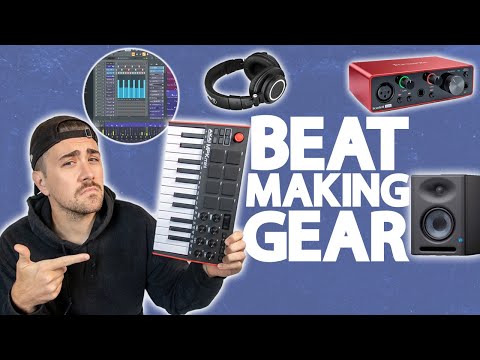
Below is a comparison of some of the most popular beat creator programs available today, highlighting their standout features, pricing, and ideal use cases.
| Program | Best For | Key Feature | Starting Price |
| FL Studio | All-around beat making | Piano roll and step sequencer | $99 |
| MPC Software | Hardware-integrated production | Standalone workflow with MPC workflow | $99 |
| Serato Studio | DJs and beat makers | Turntable integration and key detection | $9.99/month |
| BandLab | Beginners and mobile users | Free cloud-based collaboration | Free |
| Ableton Live | Live performance and studio | Session view and warping engine | $99 |
| Soundtrap | Remote collaboration | Real-time co-production online | $10/month |
Each of these platforms serves a distinct niche. FL Studio remains a favorite among trap and hip hop producers thanks to its legendary piano roll and pattern-based workflow. MPC Software appeals to artists who want a tactile, hardware-software hybrid experience rooted in the iconic MPC tradition. Serato Studio is a game-changer for DJs transitioning into beat making because it reads your existing music files and lets you build beats from your own tracks. BandLab and Soundtrap are excellent starting points for beginners who want free access to professional-grade tools without any upfront investment.
How to Choose the Right Beat Creator Program for Your Skill Level
Selecting the ideal beat creator program is not a one-size-fits-all decision. The right choice depends on where you are in your production journey and what you hope to achieve.
For Beginners: Start Simple and Build Confidence
If you are just getting into beat making, prioritize programs with intuitive interfaces, drag-and-drop functionality, and generous free trials or tiers. BandLab and GarageBand (for macOS users) are excellent starting points. These platforms let you experiment with rhythm, melody, and arrangement without overwhelming you with complex routing or advanced mixing workflows. Focus on learning fundamental concepts like tempo, time signature, drum programming, and basic mixing before moving to more sophisticated tools.
For Intermediate Producers: Expand Your Creative Toolkit

Once you are comfortable with the basics, it is time to upgrade to a program that offers deeper sound design capabilities, advanced MIDI editing, and professional-grade plugin integration. FL Studio and Ableton Live are top choices at this stage. Both platforms offer extensive tutorials, active communities, and a vast ecosystem of third-party plugins and sample packs. Intermediate producers should also explore beat creator programs that support VST and AU plugin formats, giving you access to thousands of virtual instruments and effects processors.
For Advanced Producers: Precision, Speed, and Professional Output
Veteran beat makers and professional producers need programs that offer maximum flexibility, low-latency performance, and advanced automation capabilities. MPC Software, Ableton Live Suite, and Cubase are top contenders at this level. These programs support complex routing, multi-track recording, advanced automation lanes, and high-resolution audio export — all essential for delivering radio-ready or streaming-ready productions that meet professional standards.
Expert Tips to Maximize Your Beat Making Workflow
Even the best beat creator program will only take you as far as your workflow allows. Here are proven strategies from experienced producers that will help you get the most out of your software.
- Create project templates for your go-to genres. Setting up a template with your preferred drum kit, tempo, chord progression, and bus routing saves enormous time and keeps your creative momentum going.
- Use keyboard shortcuts religiously. Memorizing shortcuts for common actions like slicing samples, toggling loops, and rendering tracks dramatically speeds up your session.
- Organize your sample library with consistent naming conventions. A well-structured sample folder means you spend less time searching and more time creating.
- Limit your choices to avoid decision fatigue. Load only the sounds and instruments you need for a session rather than having hundreds of presets at your fingertips.
- Export and review your beats on different playback systems. What sounds great on studio monitors may not translate to headphones or phone speakers. Regular referencing keeps your beats commercially viable.
- Collaborate using cloud-based features. Many modern beat creator programs include built-in sharing and collaboration tools. Sending stems or project files to vocalists and other producers can open doors you did not expect.
Frequently Asked Questions About Beat Creator Programs
What is the best beat creator program for beginners on a budget?
BandLab stands out as the best free beat creator program for beginners. It offers a full-featured online DAW with built-in instruments, samples, and collaboration tools — all at zero cost. For offline use on macOS, GarageBand provides an equally powerful free option that seamlessly integrates with Apple’s ecosystem.
Can I use a beat creator program to produce music for commercial release?
Absolutely. Programs like FL Studio, Ableton Live, and MPC Software are used by Grammy-winning producers worldwide to create commercially released tracks. The software itself does not limit the commercial potential of your music — your creativity and production quality are the determining factors.
Do I need expensive hardware to use a beat creator program effectively?
No. While MIDI controllers, audio interfaces, and studio monitors can enhance your experience, most beat creator programs function perfectly with just a computer keyboard and mouse. Many producers start with free or budget software and invest in hardware only after they have outgrown the built-in tools.
What are the best beat creator programs for making trap beats?
FL Studio and Ableton Live are widely regarded as the top beat creator programs for trap production. FL Studio’s step sequencer and piano roll are particularly well-suited for the rapid-fire hi-hat patterns, 808 bass drops, and atmospheric melodies that define modern trap music. Many prominent trap producers exclusively use FL Studio for their entire production pipeline.
How do beat creator programs differ from traditional DAWs?
Beat creator programs typically focus on loop-based composition, drum programming, and sample manipulation, offering streamlined workflows optimized for rhythm-driven music. Traditional DAWs provide comprehensive recording, editing, and mixing capabilities across all aspects of music production. However, the line between the two has blurred significantly, and many modern DAWs now include dedicated beat making features while beat creator programs increasingly offer full mixing and export capabilities.
Is it better to use a free or paid beat creator program?
Free programs like BandLab are excellent for learning the fundamentals and experimenting without financial commitment. Paid programs, however, offer more advanced features, better stability, dedicated customer support, and larger communities that provide tutorials and troubleshooting resources. If you are serious about producing music as a hobby or career, investing in a paid beat creator program is generally worthwhile within the first few months of serious practice.
Final Thoughts
The landscape of beat creator programs has never been more competitive or more accessible. Whether you are a complete beginner exploring rhythm for the first time or a seasoned producer pushing the boundaries of genre-blending production, there is a beat making tool perfectly suited to your needs. The key is to choose software that aligns with your workflow, invest time in mastering its features, and never stop experimenting with new sounds and techniques. The best beat creator program is not necessarily the most expensive or the one with the most features — it is the one that gets out of your way and lets your creativity flow freely. Start with what feels right, grow with it, and upgrade as your skills demand more. Your next hit beat is just one program away.