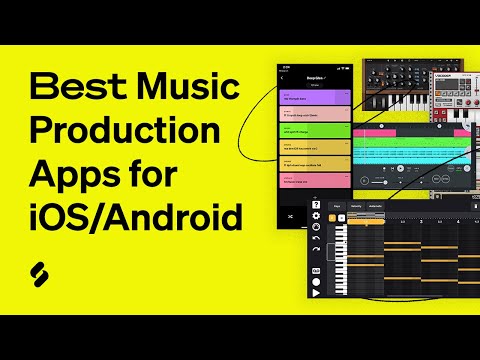
If you are looking for the best music production apps in 2024, you are in the right place. The landscape of digital audio workstations and mobile music creation tools has exploded in recent years, giving producers at every skill level access to powerful studios that fit right in their pockets or sit on their desktops. Whether you are a bedroom beatmaker just starting out, an intermediate producer refining your craft, or a seasoned composer pushing creative boundaries, the right application can transform your workflow entirely. This guide covers the top music production apps across every category, offering honest comparisons, practical recommendations, and expert insights you will not find anywhere else.
Why Music Production Apps Matter More Than Ever
The shift toward mobile-first and cloud-based creative tools has reshaped how musicians compose, record, and distribute their work. Modern music production apps deliver full-featured environments for recording multitrack audio, arranging MIDI sequences, mixing with virtual instruments, and applying professional-grade effects processing. The days when you needed a thousand-dollar studio setup are largely behind you. Today, a tablet or smartphone running a capable DAW app can produce tracks that rival those made on expensive hardware consoles. This democratization of music technology means that talent and creativity matter far more than your budget when choosing a production platform.
What makes the best music production apps stand out is not just raw feature count, but how intuitively they let you translate musical ideas into finished tracks. Latency performance, plugin compatibility, sample library depth, and collaboration tools all factor into the equation. Whether your goal is producing electronic dance music, recording live instruments, designing sound for film, or crafting beats for hip-hop, the app ecosystem now has a solution tailored to your needs.

Best Music Production Apps for Beginners
Starting your journey into music creation should feel exciting, not overwhelming. The right beginner-friendly app lowers the learning curve while still teaching foundational production concepts that transfer to professional workflows. Here are the standout options.
GarageBand (iOS & macOS)
GarageBand remains the gold standard for those entering music production on Apple devices. It is completely free, comes pre-installed on most Apple hardware, and offers a surprisingly deep feature set. You get virtual instruments including drums, keyboards, and guitars, plus a full suite of mixing tools and pre-recorded loops. The Live Loops feature lets beginners experiment with building tracks in a grid-based format that feels intuitive and playful. For anyone starting on an iPhone or iPad, GarageBand is the undeniable best place to begin.
BandLab (iOS & Android)
BandLab is a free, cross-platform music production app that goes far beyond simple recording. It includes a full multi-track timeline editor, built-in virtual instruments, audio looping, and a social community where creators share projects and collaborate in real time. The app also offers cloud storage, so you can switch between devices seamlessly. BandLab is especially valuable for beginners who want to connect with other musicians and learn through community interaction rather than formal tutorials.
Soundtrap by Spotify (Web, iOS, Android)
Soundtrap delivers a browser-based music production environment that works on virtually any device with an internet connection. It features a clean interface, a loop library curated by Spotify’s music intelligence, and real-time collaboration features that let multiple producers work on the same project simultaneously. The free tier is generous, and the Spotify integration makes it easy to incorporate trending sounds into your productions.
Intermediate-Level Apps That Deliver Professional Results
Once you have mastered the basics and want more control over your sound, intermediate-level apps bridge the gap between simplicity and pro-level capability. These tools offer deeper routing options, third-party plugin support, and advanced automation features.
FL Studio Mobile
FL Studio Mobile brings the legendary workflow of the desktop FL Studio to your phone or tablet. It supports full multi-track audio recording, step sequencing, piano roll editing, and a vast library of built-in sounds and samples. The app allows you to save projects that open in the desktop version, creating a seamless transition as your skills grow. If you produce hip-hop, trap, or EDM, FL Studio Mobile is one of the most powerful tools available for on-the-go production.
Korg Gadget 2
Korg Gadget 2 is a modular-style music production app that simulates multiple synthesizers, drum machines, and effects units within a single interface. Each “Gadget” represents a different virtual instrument or effect, and you can chain them together on a timeline to build complete arrangements. The app supports external MIDI controllers and audio input, making it a serious tool for intermediate producers who value sound design flexibility.
Cubasis 3 by Steinberg
Cubasis 3 is essentially a full DAW engineered for iPad and iPhone. It features a multitrack timeline, VST plugin support, audio warping, chord pads, and a professional mixing console. Steinberg’s decades of experience in audio software shine through in this app, which offers features like real-time time-stretching and pitch correction that rival their flagship desktop product, Cubase.
Advanced DAWs and Professional-Grade Music Production Apps
For experienced producers who demand the highest level of control, several apps deliver studio-grade performance on mobile and desktop platforms.
Ableton Live (Desktop & Push Integration)
Ableton Live is widely regarded as the best DAW for electronic music production, live performance, and experimental sound design. Its unique Session View allows for non-linear arrangement, making it ideal for improvisation and loop-based composition. The built-in instruments, effects, and Max for Live integration provide virtually unlimited sonic possibilities. While it is a desktop application, its workflow influences many mobile production tools and serves as a benchmark for what serious music production software should be.
Logic Pro (macOS)
Logic Pro is Apple’s professional-grade digital audio workstation, and it punches well above its price point. With an extensive sound library, advanced MIDI editing, spatial audio support, and robust mixing tools, Logic Pro handles everything from orchestral scoring to modern pop production. The app’s integration with Apple Silicon and Core Audio ensures exceptional performance and low latency, making it a top choice for macOS-based producers.
FL Studio (Desktop)
The full version of FL Studio continues to dominate among beat makers, hip-hop producers, and electronic music creators worldwide. Its pattern-based workflow, piano roll, and plugin ecosystem make it one of the most versatile and enduring digital audio workstations on the market. The lifetime free update policy means you pay once and own the software forever, which is an incredible value proposition for serious producers.
Comparison Table: Best Music Production Apps at a Glance
| App | Platform | Price | Best For | Skill Level |
| GarageBand | iOS, macOS | Free | Apple beginners | Beginner |
| BandLab | iOS, Android, Web | Free | Collaborative creation | Beginner |
| FL Studio Mobile | iOS, Android | $19.99 | Beat making on the go | Intermediate |
| Korg Gadget 2 | iOS, Android | $15.99 | Sound design and synthesis | Intermediate |
| Cubasis 3 | iOS | $19.99 | Professional mobile production | Intermediate |
| Ableton Live | macOS, Windows | $99–$749 | Electronic music & live performance | Advanced |
| Logic Pro | macOS | $199.99 | Full-spectrum professional production | Advanced |
| FL Studio | Windows, macOS | $99–$499 | Beat making & arranging | Advanced |
Expert Tips for Choosing the Best Music Production App
Selecting the right app depends on several factors that go beyond brand reputation. Here are practical recommendations to guide your decision.
- Consider your primary device. If you are committed to the Apple ecosystem, GarageBand and Logic Pro offer unmatched integration. Android users should explore BandLab and FL Studio Mobile for the best experience.
- Think about your genre. Electronic producers benefit from Ableton Live’s workflow and FL Studio’s step sequencer, while live instrumentalists may prefer Logic Pro’s audio recording and editing capabilities.
- Check plugin compatibility. Professional workflows often rely on third-party virtual instruments and effects. Verify that your chosen app supports VST, AU, or AAX plugins before committing.
- Start free, then invest. Most of the best apps offer free versions or trials. Use these to learn the interface before spending money on premium tiers or full versions.
- Prioritize workflow over features. An app with 200 features you never use is less valuable than one with 50 features that fit naturally into your creative process.
Frequently Asked Questions
What is the best free music production app for beginners?
GarageBand for iOS and macOS users is the best free music production app for beginners, offering a polished interface, quality built-in sounds, and a gentle learning curve. For Android or cross-platform users, BandLab provides an equally compelling free experience with collaboration features and a full multi-track editor that rivals many paid alternatives.
Can I produce professional-quality music on a mobile app?
Absolutely. Apps like Cubasis 3, FL Studio Mobile, and even GarageBand are capable of producing tracks that meet professional standards. The key is mastering the app’s tools, using quality samples and plugins, and paying attention to mixing and mastering fundamentals. Many chart-topping songs have been created entirely on mobile devices.
Which music production app works best for beat making?
FL Studio Mobile and the desktop version of FL Studio are the leading choices for beat makers. Their step sequencer, drum machine, piano roll, and extensive sample library are purpose-built for creating beats quickly and efficiently. For beginners specifically, BandLab’s loop-based workflow also makes beat creation accessible and fun.
Do music production apps support external MIDI controllers?
Most professional and intermediate apps support external MIDI controllers, including keyboards, pad controllers, and synthesizers. FL Studio Mobile, Korg Gadget 2, Cubasis 3, and Ableton Live all offer MIDI input support. This allows you to play virtual instruments in real time, dramatically improving the feel and expressiveness of your productions.
What is the difference between a DAW and a music production app?
The terms are often used interchangeably, but a DAW (Digital Audio Workstation) typically refers to a full-featured desktop application with advanced routing, automation, and plugin support, while a music production app can range from a simplified mobile tool to a complete DAW. The line has blurred considerably, with apps like Cubasis 3 and Ableton Live bridging both categories seamlessly.
Final Thoughts
The best music production app for you depends entirely on where you are in your creative journey, what devices you use, and what kind of music you want to make. Beginners should start with GarageBand or BandLab to build confidence and develop core skills. Intermediate producers will find tremendous value in FL Studio Mobile, Korg Gadget 2, and Cubasis 3 for deepening their craft. Advanced users should look to Ableton Live, Logic Pro, or the full FL Studio for unlimited creative potential. Whatever your level, the tools available today are more powerful and accessible than ever before. The only thing standing between you and your next great track is the decision to start creating.