


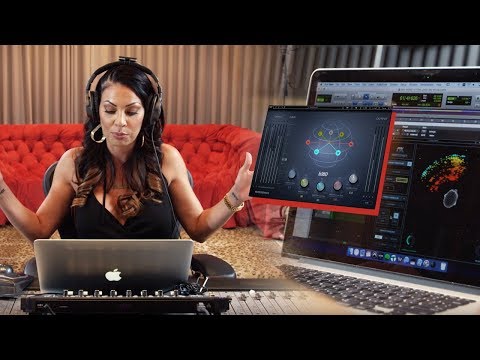
When you dive into the world of music production, the quality of your final track depends heavily on the audio mix tools you choose to shape your sound. Whether you are layering ethereal vocals, balancing aggressive drum kits, or sculpting the perfect low-end resonance, having the right mixing software can make the difference between a muddy amateur recording and a polished, radio-ready masterpiece. Understanding these digital audio workstations and their capabilities is the first step toward elevating your craft. Let us break down what makes audio mix tools so essential, how to choose the right one for your skill level, and which options dominate the industry today.
What Are Audio Mix Tools?
At their core, audio mix tools are software applications designed to record, edit, and manipulate multiple audio tracks simultaneously. They serve as the central hub for sound mixing, allowing producers to balance levels, apply effects, and create a cohesive sonic landscape. Unlike basic audio editors that only handle single-track waveforms, professional mixing software provides a visual interface where you can manage dozens of channels, apply real-time processing, and bounce your final project down to a stereo file. These tools are the backbone of modern music production, podcast editing, and audio post-production for film and television. Historically, mixing was done on massive analog consoles, but today, the digital audio workstation has democratized access, putting a fully functional mixing desk into your laptop.
The Core Components of Mixing Software
To truly master audio production, you need to understand the fundamental elements that make up your sound mixing tools. Every robust mixing program relies on a few key architectural features that dictate how you interact with your tracks:
- Channel Strips: The building blocks of any mixer, allowing you to control volume, panning, and routing for individual audio sources.
- Bus Routing: Enables you to group multiple tracks and process them together, such as sending all drums to a single bus for parallel compression.
- Plugin Integration: Support for third-party virtual studio technology (VST) or audio units (AU) that expand your tonal shaping options far beyond stock effects.
- Automation Lanes: Allow you to draw or record parameter changes over time, ensuring dynamic transitions throughout your mix without manual fader tweaking.
Top Audio Mix Tools for Different Skill Levels
Choosing the right mixing software depends heavily on your experience level and production goals. The market is saturated with options, but not all are created equal. Here is a breakdown of the best audio mixing tools tailored to specific skill sets.
Beginner-Friendly Options
If you are just starting out, you want an interface that is intuitive without sacrificing powerful mixing capabilities. GarageBand remains a fantastic entry point for Mac users, offering a clean layout and built-in loops that make learning fun. For Windows users, Audacity is a staple for simple editing, though for true mixing, BandLab provides a cloud-based DAW mixer that is incredibly accessible. These tools allow beginners to learn gain staging and basic equalization without being overwhelmed by complex routing matrices or steep learning curves.
Intermediate Powerhouses
As you progress, you need a digital audio workstation that balances complexity with usability. PreSonus Studio One has rapidly become a favorite for intermediate producers, offering drag-and-drop functionality and excellent stock plugins that rival third-party software. Similarly, Ableton Live bridges the gap between music creation and mixing, providing a session view that is perfect for electronic music mixing and live performance adjustments. Its workflow encourages experimentation while maintaining professional-grade mixing standards, making it a versatile choice for producers who wear multiple hats.
Advanced Professional Suites
For seasoned engineers and top-tier producers, the best audio mix tools must offer surgical precision and deep customization. Avid Pro Tools remains the industry standard for large-scale studio mixing and post-production. Its workflow might have a steep learning curve, but its track handling and mixing consoles are unmatched in their stability and detail. On the other hand, Steinberg Cubase excels in orchestral and cinematic scoring, offering advanced MIDI editing and a mixing environment that handles hundreds of tracks with ease. Finally, Apple Logic Pro combines a massive sound library with professional mixing capabilities, offering incredible value for Mac-based engineers.
Essential Features to Look For in Mixing Tools
Not all sound mixing tools are built the same way. When evaluating audio mixing software for your next project, look beyond the flashy interface and focus on the features that actually improve your workflow and mix quality. A poor workflow can stifle creativity, no matter how good the end results might be.
- Low Latency Performance: Your software must process audio in real-time without noticeable delay, especially when monitoring live inputs with effects engaged during tracking sessions.
- Comprehensive EQ and Dynamics: Built-in parametric equalizers and compressors save time and money, giving you everything you need to start mixing immediately without purchasing external plugins.
- Cross-Platform Compatibility: Whether you mix on a Mac or a PC, ensuring your chosen DAW works seamlessly with your hardware and operating system is crucial for a smooth workflow.
- Offline Batching: The ability to process effects and bounce tracks offline prevents your CPU from being overloaded during intensive mixing sessions, allowing you to work faster.
- Collaboration Features: Modern cloud integration and session sharing features allow teams to work on the same project remotely, a necessity in today’s distributed music industry.
Comparison Table: Leading Audio Mix Tools
To help you narrow down your choices, here is a detailed comparison of the top audio mix tools based on price, target audience, and standout features.
| Software | Target Audience | Price Range | Standout Feature |
| GarageBand | Beginner | Free | Seamless Apple ecosystem integration |
| PreSonus Studio One | Intermediate | $99 – $399 | Drag-and-drop workflow and excellent stock plugins |
| Ableton Live | Intermediate/Advanced | $99 – $749 | Session view for electronic and live mixing |
| Avid Pro Tools | Advanced/Studio | $99 – $800+/year | Industry-standard tracking and mixing engine |
| Steinberg Cubase | Advanced | $99 – $579 | Unrivaled MIDI and orchestral scoring tools |
Expert Tips to Maximize Your Mixing Workflow

Even the best audio mix tools will not save a disorganized session. Professional engineers rely on proven mixing techniques to stay efficient and maintain clarity in their mixes. Here are some expert tips to elevate your audio production workflow and help you achieve a cleaner, more impactful sound.
First, always practice proper gain staging before you start reaching for plugins. Keep your tracks peaking around negative 6 to negative 12 decibels to ensure you have headroom for processing. Second, utilize bus routing to group your instruments. Instead of compressing each drum track individually, send them to a drum bus and apply a single compressor to glue them together seamlessly. Third, invest time in learning your mixing software shortcuts. Memorizing keyboard commands for soloing, muting, and automating parameters will drastically reduce your mixing time and keep you in the creative flow state.
Another critical step is taking frequent breaks. Ear fatigue can severely distort your perception of frequency balance, leading to poor mixing decisions. The best sound mixing tools provide accurate monitoring, but even the most advanced digital audio workstation cannot compensate for tired ears. Step away from the studio every hour to reset your auditory perspective. Finally, reference your mixes on multiple playback systems—car speakers, earbuds, and club systems—to ensure your track translates well across different environments.
Conclusion
Navigating the landscape of audio mix tools does not have to be daunting. By understanding the core components of mixing software and matching the right digital audio workstation to your experience level, you set yourself up for success. Whether you are just learning the ropes with GarageBand or mastering complex session matrices in Pro Tools, the key is to focus on the fundamentals of sound mixing. Invest time in learning your tools, trust your ears, and always prioritize clarity over complexity. Your perfect mix is just a few adjustments away, and the right software will help you get there faster.
Frequently Asked Questions
What are the best audio mix tools for beginners?
For those just starting out, GarageBand is arguably the best audio mix tool for beginners on macOS, offering a user-friendly interface and robust built-in sounds. Windows users should look at BandLab, which provides a cloud-based DAW mixer that requires no expensive hardware to get started. These options allow newcomers to learn gain staging, basic EQ, and track balancing without a steep financial investment, giving them a solid foundation for future growth.
How do I choose the right audio mixing software?
Choosing the right audio mixing software depends on your primary genre, workflow preference, and budget. If you produce electronic music, Ableton Live’s session view is invaluable for live tweaking. For traditional band recording, Pro Tools or PreSonus Studio One offer superior tracking and mixing capabilities. Always take advantage of free trials before committing to a purchase to ensure the interface and workflow align with your unique creative process and production goals.
What is the difference between a DAW and an audio mix tool?

The terms are often used interchangeably, but there is a subtle distinction. A digital audio workstation (DAW) is the comprehensive software used for recording, editing, and producing audio from start to finish. An audio mix tool is a specific component within a DAW—or sometimes a standalone application—focused specifically on the balancing, processing, and blending of multiple audio tracks. While every DAW is a mixing tool, not every mixing tool is a full-featured DAW.
Can free audio mix tools produce professional results?
Absolutely. Free audio mix tools like Audacity or Cakewalk by BandLab can absolutely produce professional results. The limiting factor is rarely the software itself, but rather the user’s knowledge of mixing techniques and the quality of the source recordings. With modern free DAWs offering full VST plugin support, you have access to the same third-party processing that expensive suites provide, leveling the playing field for independent creators.
What are the essential plugins for audio mixing?
The essential plugins for audio mixing include a parametric equalizer (EQ) for tonal shaping, a compressor for dynamic control, and a reverb for spatial depth. Additionally, a high-quality limiter is crucial for final mastering and ensuring your tracks do not clip during distribution. While stock plugins that come with your mixing software are incredibly capable today, many producers eventually expand their toolkit with third-party standards from companies like FabFilter, Waves, or Universal Audio to achieve highly specialized sounds.